Compression and Decompression Utility Software
Utility software is essential for managing computer tasks efficiently. Among various types of utility software, compression software specifically aids in reducing file sizes for easier storage and transfer. This two-way software allows users to compress files to save space and decompress them for access. There are two primary compression methods: lossless compression, preserving all data—ideal for images, and lossy compression, which sacrifices some data for greater size reduction, often used for folders. Learn how these techniques can optimize your file management.

Compression and Decompression Utility Software
E N D
Presentation Transcript
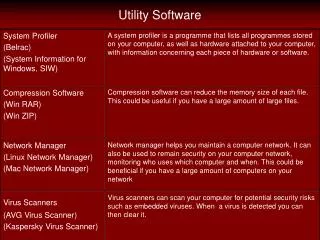
Utility Software • Utility software is the basic software included with the operating software to help the user maintain and manage the computer • There are many different types of software which each help the user perform different tasks. • A compression software is one of the many different software used.
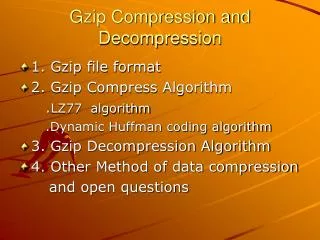
Compression Software • A compression software is usually a two way software meaning that it is used to: • Compress a file • Decompress a compressed file • There are 2 main ways using which a file can be compressed: • Lossless Compression • Lossy compression
Lossless Compression • This type of compression is usually used to compress images that have sold blocks of same color. • The way it compresses the file is demonstrated in the book on page 124
Lossy Compression • A lossy compression is other way or compressing a file • In this type of compression, the file may lose some of its data which cannot be recovered. • This type of compression is more commonly used to compress folders which contain