Understanding Python Numeric and String Data Types: Key Concepts and Functions
Dive into the basics of Python's numeric and string data types. Discover how Python handles different number types (integers, floats, longs, and complex numbers) and learn about their immutability, creation, deletion, and conversion methods. Additionally, explore string creation, access, and manipulation, including string formatting and special characters. This guide covers key concepts, functions, and examples to enhance your Python programming skills.

Understanding Python Numeric and String Data Types: Key Concepts and Functions
E N D
Presentation Transcript
8. Python - Numbers • Number data types store numeric values. They are immutable data types, which means that changing the value of a number data type results in a newly allocated object. • Number objects are created when you assign a value to them. For example: var1 = 1 var2 = 10 • You can also delete the reference to a number object by using the del statement. The syntax of the del statement is: del var1[,var2[,var3[....,varN]]]] You can delete a single object or multiple objects by using the del statement. For example: del var del var_a, var_b
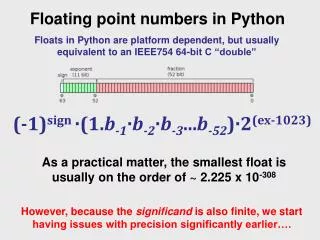
Python supports four different numerical types: • int (signed integers): often called just integers or ints, are positive or negative whole numbers with no decimal point. • long (long integers ): or longs, are integers of unlimited size, written like integers and followed by an uppercase or lowercase L. • float (floating point real values) : or floats, represent real numbers and are written with a decimal point dividing the integer and fractional parts. Floats may also be in scientific notation, with E or e indicating the power of 10 (2.5e2 = 2.5 x 102 = 250). • complex (complex numbers) : are of the form a + bJ, where a and b are floats and J (or j) represents the square root of -1 (which is an imaginary number). a is the real part of the number, and b is the imaginary part. Complex numbers are not used much in Python programming.
Number Type Conversion: • Type int(x)to convert x to a plain integer. • Type long(x) to convert x to a long integer. • Type float(x) to convert x to a floating-point number. • Type complex(x) to convert x to a complex number with real part x and imaginary part zero. • Type complex(x, y) to convert x and y to a complex number with real part x and imaginary part y. x and y are numeric expressions
9. Python - Strings • Strings are amongst the most popular types in Python. We can create them simply by enclosing characters in quotes. Python treats single quotes the same as double quotes. • Creating strings is as simple as assigning a value to a variable. For example: var1 = 'Hello World!' var2 = "Python Programming"
Accessing Values in Strings: • Python does not support a character type; these are treated as strings of length one, thus also considered a substring. • To access substrings, use the square brackets for slicing along with the index or indices to obtain your substring: • Example: var 1 = 'Hello World!' var2 = "Python Programming" print "var1[0]: ", var1[0] print "var2[1:5]: ", var2[1:5] This will produce following result: var1[0]: H var2[1:5]: ytho
Updating Strings: • You can "update" an existing string by (re)assigning a variable to another string. The new value can be related to its previous value or to a completely different string altogether. • Example: var1 = 'Hello World!' print "Updated String :- ", var1[:6] + 'Python' This will produce following result: Updated String :- Hello Python
String Special Operators: Assume string variable a holds 'Hello' and variable b holds 'Python' then:
Other supported symbols and functionality are listed in the following table:
Triple Quotes: • Python's triple quotes comes to the rescue by allowing strings to span multiple lines, including verbatim NEWLINEs, TABs, and any other special characters. • The syntax for triple quotes consists of three consecutive single or double quotes. para_str = """this is a long string that is made up of several lines and non-printable characters such as TAB ( \t ) and they will show up that way when displayed. NEWLINEs within the string, whether explicitly given like this within the brackets [ \n ], or just a NEWLINE within the variable assignment will also show up. """ print para_str;
Raw String: • Raw strings don't treat the backslash as a special character at all. Every character you put into a raw string stays the way you wrote it: print 'C:\\nowhere' This would print following result: C:\nowhere Now let's make use of raw string. We would put expression in r'expression' as follows: print r'C:\\nowhere' This would print following result: C:\\nowhere
Unicode String: • Normal strings in Python are stored internally as 8-bit ASCII, while Unicode strings are stored as 16-bit Unicode. This allows for a more varied set of characters, including special characters from most languages in the world. I'll restrict my treatment of Unicode strings to the following: print u'Hello, world!' This would print following result: Hello, world!