Essential Guide to Upgrading ESX 4 to vCenter 4.32 Using Update Manager
This guide covers the upgrade process for ESX 4 to vCenter 4.32, focusing on utilizing Update Manager (UM) for efficient upgrades. To use UM and create a baseline, vCenter 4 is required. The Update Manager allows for simultaneous upgrades of multiple hosts, making it ideal for high availability (HA) and distributed resource scheduler (DRS) clusters. This ensures a streamlined upgrade process across your virtual environment, minimizing downtime and enhancing management efficiency post-upgrade.

Essential Guide to Upgrading ESX 4 to vCenter 4.32 Using Update Manager
E N D
Presentation Transcript
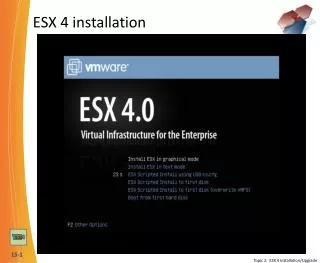
ESX 4 installation 4:20 Topic 2: ESX 4 Installation/Upgrade
Upgrading to vCenter 4 32 Topic 2: ESX 4 Installation/Upgrade
ESX 4 Upgrades using Update Manager • Requires vCenter 4 to use UM and create a Baseline • Allows multiple host upgrades simultaneously • Should upgrade all hosts in a HA/ DRS Cluster 6 Topic 2: ESX 4 Installation/Upgrade
vCenter 4 Management - Inventory 4 Topic 3: ESX 4/vSpere 4 Management
ESX 4/vSphere 4 Management – Configuration 17 Topic 3: ESX 4/vSpere 4 Management
vCenter 4 Management – vCenter Server Settings 17 Topic 3: ESX 4/vSpere 4 Management