Advanced Game Development Framework with Networking and AI Integration
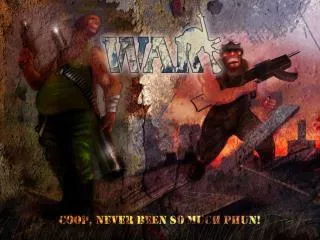
Explore an innovative game development framework that incorporates a particle system, animated models, and specialized player classes like Engineer, Medic, Soldier, and Spy. Users can create levels on-the-fly with an easy-to-use Level Editor and manage game states effectively with WARMain. The framework supports networking with a client-server model, enabling robust multiplayer capabilities. AI behaviors such as Patrol, Attack, and Investigate enhance gameplay realism. Enjoy 3D sound integration and advanced graphics with effects like multitexturing and shaders.

Advanced Game Development Framework with Networking and AI Integration
E N D
Presentation Transcript
The Content • Simple AI • Simple physics • Particle System • Level Creation • Player Classes • Network play • 3D sound • Animated models
Program layout • WARMain • Window and program main entry point • WARApplication • Handles more game specific stuff • Takes care of DirectX, updates managers etc • Game states • Takes care of the current state’s logic
Game States • BaseGameState • Init(), Deinit(), Update(), Render(), Input() • KeyDown()… MouseClicked()… • OnLostDevice(), OnResetDevice() • Reference to an Application object • Application works as a game state manager • Intro, Menu, Game, Level Editor
Particle System • Particle • Pos, Vel, Acc, Size, Color etc • Particle System • Collection of particles and settings • Updates particles, kills, respawns • Particle Manager • Collection of particle systems • Updates, renders and removes
Network • NetworkManager • Client & Server in one • Start(), Stop(), Send(), Read() • Messages • BaseNetworkMessage • Message ID • Encode() – Writes data into a stream • Decode() – Retrieves data from the stream • DerivedNetworkMessage overrides
Basic Network Loop • While(Network.Read()) • Switch(Message.ID) • Case Update: • Message.Decode() • DoUpdate() • Send messages • Create new message and assign ID • NewMessage.Encode() • Network.Send(NewMessage, SendType, Connection)
AI • States • Patrol • Attack • Investigate • Idle • Find Cover • Reload
The Playables • Four very different classes • Engineer • Medic • Soldier • Spy
Level Editor • Construct Levels On the Fly • Easy to learn and use.
Problems • Animated Meshes • X exporter (Panda, Official, Maya) • Networking Sync • GUI • Wallhack
Further Work • Redesign a few classes • Improve AI • FX Shaders • Buildings • Multitexturing for tilemap • Graphical HUD • Missions • Improved physics (OBB) • Scripts
Questions ? The end