Adding Game Objects: Plane, Crow, Silo, and Windmill in SAGE
This lecture explores the integration of four object types into a game using SAGE: a plane, a crow, a silo, and a windmill. Key topics include game object management, object characteristics, and the role of base and derived objects. It outlines how to manage parts of objects for animation, implement movement logic through virtual functions, and handle rendering based on object properties. We also cover unique naming conventions and ID generation critical for object management in game development.

Adding Game Objects: Plane, Crow, Silo, and Windmill in SAGE
E N D
Presentation Transcript
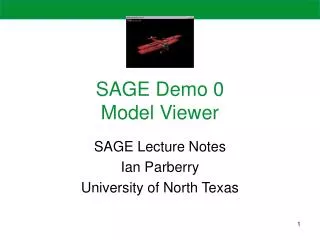
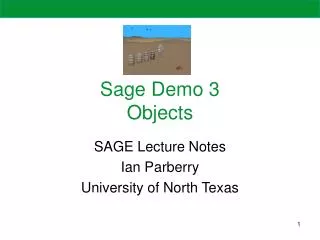
Sage Demo 3Objects SAGE Lecture Notes Ian Parberry University of North Texas
SAGE Demo 3 • The goal of this demo is to add four types of objects into the game • A plane • A crow • A silo • A windmill
Key Topics • Game Objects • Game Object Management • Generators
Game Objects Overview • Base Object – Defines an interface for creating new objects, and manages some of the features • Derived Objects – These are the actually objects. They inherit the base object and implement its classes
Base Game Object • Parts – The game objects are split into 1 or more parts. This allows you to animate individual parts of a model • Example: The plane is made up of two parts, the body and the propellers. This is done so that the propellers can spin independently of the plane
Base Game Object Cont. • Process and Move – Virtual functions used to handle the positioning and moving of an object • process() – Implement non-movement logic by overriding the process function • AI is a good example of what to do here • move() – Should handle the updating of the objects position • The move functions handles normal forward motion for you, but you’ll want to override it if you want to handle more complex movement such as strafing void GameObject::move(float dt, bool savePreviousState)
Base Game Object Cont. • move() Cont – The default implementation performs the following functions • Saves the previous state • Sets the orientation and displacement if(savePreviousState) { m_oldPosition = m_v3Position[0]; m_oldOrient = m_eaOrient[0]; } //orientation float rotStep = dt; for(int i=0; i<m_nNumParts; i++){ m_eaOrient[i].heading += m_eaAngularVelocity[i].heading * rotStep; m_eaOrient[i].pitch += m_eaAngularVelocity[i].pitch * rotStep; m_eaOrient[i].bank += m_eaAngularVelocity[i].bank * rotStep; } //displacement Vector3 bDisplacement(0, 0, 20.0f * dt * m_fSpeed); RotationMatrix Matrix; Matrix.setup(m_eaOrient[0]); Vector3 addend = Matrix.objectToInertial(bDisplacement); m_v3Position[0] += Matrix.objectToInertial(bDisplacement);
Base Game Object Cont. • move() Cont – The default implementation performs the following functions • Animates the object if there is more then one frame if(m_nNumFrames > 1) { m_fCurFrame += dt * ((AnimatedModel*)m_pModel)->numFramesInAnimation() * m_animFreq; Matrix4x3 world, modelOrient; world.setupLocalToParent(m_v3Position[0], m_eaOrient[0]); modelOrient.setupLocalToParent(Vector3::kZeroVector,m_modelOrient); world = modelOrient * world; ((AnimatedModel*)m_pModel)->selectAnimationFrame(m_fCurFrame, 0, *m_vertexBuffer, m_boundingBox, world); }
Base Game Object Cont. • render() – Handles basic rendering of the object based on the following assumptions • If there is no model associated with the object, nothing is drawn • If there are multiple parts to the object, the object is assumed to be articulated • If there are multiple frames associated with the object, it is assumed that the object is animated • If these assumptions don’t work for you, then you need to override the render function with your own functionality. if (m_nNumParts > 1)//articulated model ((ArticulatedModel*)m_pModel)->renderSubmodel(0); else if (m_nNumFrames > 1)// animated model ((AnimatedModel*)m_pModel)->render(m_vertexBuffer); else m_pModel->render(); //vanilla model for (int i=1; i<m_nNumParts; i++){ gRenderer.instance(m_v3Position[i], m_eaOrient[i]); ((ArticulatedModel*)m_pModel)->renderSubmodel(i); gRenderer.instancePop(); // submodel i }
Base Game Object Cont. • AABB – At any time, you can query the object for its bounding box. AABBs will be covered in the next demo • Name and ID – You can set the name and id of an object manually or you can let the object manager do it for you • Note: Every object must have a unique id and a unique name • The name and ID Generators will be covered later
Base Game Object Cont. • Type (Class ID) – Identifies the type/class of an object at runtime. The values shown in the following enumerations can be assigned to an objects m_Type value to specify its type. • Life State – Used by the object manager to manager the object. namespace ObjectTypes { enum ObjectType { PLANE = 0, CROW, TERRAIN, WATER, SILO, WINDMILL }; };
Derived Game Objects • The following derived objects are currently implemented in the Ned3D game. • Silo – Static game object otherwise known as furniture • process() – Overwritten to do nothing since the silo does nothing • move() – Calls the base move class to put the silo in its position • Windmill – Same as the Silo except one key difference. The fan on the windmill moves • Crow – A moveable game object • process() – Overwritten to determine the flight path of the crow • move() – Overwritten to move the crow along its flight path
Derived Game Objects Cont. • Silo – Static game object otherwise known as furniture • process() – Overwritten to do nothing since the silo does nothing • move() – Calls the base move class to put the silo in its position • Windmill – Same as the Silo except one key difference. The fan on the windmill moves
Derived Game Objects Cont. • Crow – Moves around the screen using simple AI and uses an animated model • move() – The move functions has been overridden to implement the flight path for the crow. • Circular flight path • Straight flight path – Requires only a call to the move() base class Vector3 right(m_v3Position[0].x - m_circleCenter.x, m_circleCenter.y, m_v3Position[0].z - m_circleCenter.z); const Vector3 &up = Vector3::kUpVector; Vector3 forward = up.crossProduct(right); if(!m_circleLeft) { forward *= -1.0f; right *= -1.0f; }
Derived Game Objects Cont. • Plane – The plane needs to able to respond to input in order to perform the following actions • Turn Left • Turn Right • Climb • Dive • Change Speed • Each of these actions is handled by a separate function
Derived Game Objects Cont. • Plane Cont. – Three other functions exists to handle the planes movement. • inputStraight – Straightens out the plane • inputLevel – Levels out the plane • inputStop – Stops the plane
Derived Game Objects Cont. • Plane Cont. • process() – Checks for keyboard and joystick input and process it before passing the data along to the move function • move() – Updates the planes position based on the information saved by the process function. switch(m_turnState) { case TS_LEFT: { planeOrient.heading -= m_maxTurnRate * m_turnRate * dt; if(planeOrient.bank < kPi * 0.25f) planeOrient.bank += m_maxBankRate * m_turnRate * dt; } break; case TS_RIGHT: { planeOrient.heading += m_maxTurnRate * m_turnRate * dt; if(planeOrient.bank > kPi * -0.25f) planeOrient.bank -= m_maxBankRate * m_turnRate * dt; } }
Derived Game Objects Cont. • Special Objects – The terrain and water objects don’t benefit much from being objects, but it lets object manager manage them and results in a cleaner design.
Base Object Manager • The base object manager performs the following functions • Add/Remove objects • Process/Move objects • Render objects • Track objects
Add/Remove Objects • addObject() – Adds an object to the manager using the following parameters • GameObject *object – A pointer to the object being added • bool canMove – Specifies whether this is a movable object • bool canProcess – Specifies whether this object should be processed • bool canRender – Specifies whether this object should be rendered • std::string* name – The name given to the object unsignedint GameObjectManager::addObject(GameObject *object, bool canMove, bool canProcess, bool canRender, const std::string *name)
Add/Remove Objects Cont. • addObject() Cont. • Inserts the object into the process lists based on the Booleans specified unsignedint GameObjectManager::addObject(GameObject *object, bool canMove, bool canProcess, bool canRender, const std::string *name) { assert(object != NULL); if(object->m_manager == this) return object->m_id; assert(object->m_manager == NULL); object->m_manager = this; m_objects.insert(object); if(canMove) m_movableObjects.insert(object); if(canProcess) m_processableObjects.insert(object); if(canRender) m_renderableObjects.insert(object);
Add/Remove Objects Cont. • addObject() Cont. • Checks if there is a name, and creates one if there isn’t, otherwise it checks for a conflicting name. If a conflicting name is found, a name generator determines a new name for it based on the name given. • Return the unique unsigned integer ID assigned to the object by the object manager if(name == NULL || name->length() == 0) object->m_name = m_objectNames.generateName(object->m_className); elseif(m_objectNames.requestName(*name)) object->m_name = *name; // Requested name accepted else object->m_name = m_objectNames.generateName(*name); // Append number to requested name // Ensure new object status object->m_lifeState = GameObject::LS_NEW; // Add id and name mappings m_nameToID[object->m_name] = object->m_id; m_idToObject[object->m_id] = object; return object->m_id; }
Add/Remove Objects Cont. • deleteObject() – Removes the object from the object manager void GameObjectManager::deleteObject(GameObject *object) { if(object == NULL) return; m_nameToID.erase(object->m_name); m_idToObject.erase(object->m_id); m_objectIDs.releaseID(object->m_id); m_objectNames.releaseName(object->m_name); m_objects.erase(object); m_movableObjects.erase(object); m_processableObjects.erase(object); m_renderableObjects.erase(object); object->m_manager = NULL; delete object; }
Ned3D Object Manager • The Ned3DObjectManager is derived from the base object manager, and is responsible for spawning the specific objects in Ned3D using the following functions • spawnPlane() • spawnCrow() • spawnSilo() • spawnWindmill() • spawnWater() • spawnTerrain()
spawnPlane unsigned int Ned3DObjectManager::spawnPlane( const Vector3 &position, const EulerAngles &orientation) { if(m_plane != NULL) return 0;// Only one plane allowed if (m_planeModel == NULL) m_planeModel = m_models->getModelPointer("Plane");// Cache plane model if (m_planeModel == NULL) return 0;// Still NULL? No such model m_plane = new PlaneObject(m_planeModel); m_plane->setPosition(position); m_plane->setOrientation(orientation); unsigned int id = addObject(m_plane, "Plane"); return id; }
spawnCrow • There are two spawn crow functions, one to spawn a straight flying crow, and one to spawn a circling crow. unsigned int Ned3DObjectManager::spawnCrow(const Vector3 &position, const EulerAngles &orientation, float speed) { if(m_crowModel == NULL) m_crowModel = m_models->getModelPointer("Crow");// Cache crow model if(m_crowModel == NULL) return 0; // Still NULL? No such model CrowObject *crow =new CrowObject(m_crowModel); crow->setSpeed(speed); crow->setPosition(position); crow->setOrientation(orientation); crow->setMovementPattern(CrowObject::MP_STRAIGHT); unsigned int id = addObject(crow); m_crows.insert(crow); return id; }
spawnTerrain/Water unsigned int Ned3DObjectManager::spawnTerrain(Terrain *terrain) { m_terrain = new TerrainObject(terrain); return addObject(m_terrain, false, false, false, "Terrain"); } unsigned int Ned3DObjectManager::spawnWater(Water *water) { m_water = new WaterObject(water); return addObject(m_water, false, false, false, "Water"); }
spawnSilo unsigned int Ned3DObjectManager::spawnSilo(const Vector3 &position, const EulerAngles &orientation) { static const std::string silos[] = {"Silo1","Silo2","Silo3","Silo4"}; static int whichSilo = 0; m_siloModel = m_models->getModelPointer(silos[whichSilo]);// Cache silo model if (m_siloModel == NULL) return 0;// Still NULL? No such model SiloObject *silo =new SiloObject(m_siloModel); silo->setPosition(position); silo->setOrientation(orientation); unsigned int id = addObject(silo); m_furniture.insert(silo); whichSilo = ++whichSilo % 4; return id; }
spawnWindmill unsigned int Ned3DObjectManager::spawnWindmill( const Vector3 &position, const EulerAngles &orientation) { if (m_windmillModel == NULL) m_windmillModel = m_models->getModelPointer("Windmill");// Cache windmill if (m_windmillModel == NULL) return 0;// Still NULL? No such model WindmillObject *windmill =new WindmillObject(m_windmillModel); windmill->setPosition(position); windmill->setPosition(Vector3(0,27.0f,-0.5f),1); windmill->setRotationSpeedBank(kPiOver2,1); windmill->setOrientation(orientation); unsigned int id = addObject(windmill); m_furniture.insert(windmill); return id; }
Tether Camera • When a camera is made to follow specific object, it is called a tether camera • Our tether camera is made to always be the same distance from any object • The process() functions handles the positioning of the camera based on the position of the object it is attached to
Tether Camera Cont. • process() • First, we get the position of our targeted object • We increment the y value by 3.0 to keep the object from blocking our view of the rest of the screen targetHeading = obj->getOrientation().heading; target = obj->getPosition(); target.y += 3.0f;
Tether Camera Cont. • process() Cont. • Next we compute the vector from the camera to the target and the distance of that vector • Using this information, we can compute the cameras position // Compute current vector to target Vector3 iDelta = target - cameraPos; // Compute current distance float dist = iDelta.magnitude(); // Get normalized direction vector Vector3 iDir = iDelta / dist;
Tether Camera Cont. • process() Cont. • Now we clamp the distance within our limits and compute the camera’s position • Then we just need to re-compute the camera heading, pitch, and bank // Clamp within desired range to get distance // for next frame if (dist < minDist) dist = minDist; if (dist > maxDist) dist = maxDist; // Recompute difference vector iDelta = iDir * dist; // Compute camera's position cameraPos = target - iDelta; // Compute heading/pitch to look in given direction cameraOrient.heading = atan2(iDir.x, iDir.z); cameraOrient.pitch = -asin(iDir.y); cameraOrient.bank = 0.0f;
Generators • The generators are used to create unique identifiers and names for the objects in the game • There are two generators used in the SAGE engine • ID Generator – Generates a unique identifier. These numbers are stored in a hash set to make it easier to determine when numbers have already been used • Name Generator – Generates a unique name based on a base name given to the generator • Ex: Every time the name generator is asked to generate a name, it appends a number to the end of that name. A counter is kept for all the name bases to keep these numbers unique. • So, if you generated 4 objects with the name crow, their names would be “Crow”, “Crow1”, “Crow2”, and “Crow3”