Understanding Web Forms and Calculations in JavaScript
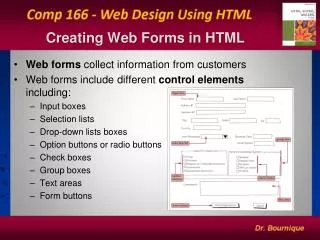
This guide explores the fundamentals of web forms, their importance in web transactions, and how to handle form fields using JavaScript. It covers defining forms, input elements like text boxes and text areas, and explains event handling like focus, blur, and change using JavaScript. Additionally, it delves into calculations involving functions that accept parameters by value and reference, demonstrating how to compute values such as gross and net pay. Ideal for beginners, this resource offers practical examples and insights into web development and JavaScript programming.


Understanding Web Forms and Calculations in JavaScript
E N D
Presentation Transcript
Web Browser Transaction Data Web Server Why Forms? Identification, settings, etc.
Form Forms and Form Fields
Defining a Form and Elements <body> <form name="form_name"> </form> </body> HTML and form fields go here.
<form name="getstuff"> </form> Form
<input type="text" name=“sname" size="30" /> Text Box
<textarea name="comments" rows="5" cols="50"> </textarea> Text Area
<input type="submit" name="submit" value="Record Entry" /> Buttons
Text Box and Text Area document . form . field . value document.getstuff.sname.value
Focus Event (onfocus) Blur Event (onblur) Change Event (onchange) (after exit field with changes) Focus, Blur, and Change
Event Order Single Action Multiple Events Change value in form field and hit tab: Change Event Blur Event Order varies (see DOM references)
<html> <head> <script type="text/javascript"> function byValue(a) { alert('In byValue (start): ' + a) a = a * 10000 alert('In byValue (end): ' + a) } </script> </head> <body> <script type="text/javascript"> var parm = 5 alert('In body (start): ' + parm) byValue(parm) alert('In body (end): ' + parm) </script> </body> </html> In body (start): 5 In byValue (start): 5 In byValue (end): 50000 In body (end): 5 By Value: Function calls using variables pass values.
<html> <head> <script type="text/javascript"> function byReference(b) { alert('In byReference (start): ' + b.parm) b.parm = b.parm * 10000 alert('In byReference (end): ' + b.parm) } </script> </head> <body> <script type="text/javascript"> var obj = new Object() obj.parm = 5 alert('In body (start): ' + obj.parm) byReference(obj) alert('In body (end): ' + obj.parm) </script> </body> </html> In body (start): 5 In byReference (start): 5 In byReference (end): 50000 In body (end): 50000 By Reference: Function calls using objects pass references to memory address.
a (p1) (p1) 15 25 p Memory Reference body var a = new Object() a.p1 = 15 doStuff(a) function doStuff(p) p.p1 = 25 p.p1 = ? a.p1 = ?
<html> <head> <script type="text/javascript"> function calcGrossPay(hours, rate) { var gross = 0.00 gross = hours * rate document.write('Gross = ' + gross + '<br />') } </script> </head> <body> <script type="text/javascript"> var hours = 40.0 var rate = 9.88 calcGrossPay(hours, rate) </script> </body> </html> Gross = 395.20000000000004
<html> <head> <script type="text/javascript"> function calcGrossPay(hours, rate) { var gross = 0.00 gross = hours * rate return gross } </script> </head> <body> <script type="text/javascript"> var hours = 40.0 var rate = 9.88 var grossPay = 0.00 grossPay = calcGrossPay(hours, rate) document.write('Gross = ' + grossPay + '<br />') </script> </body> </html>
<html> <head> <script type="text/javascript"> function calcGrossPay(hours, rate) { var gross = 0.00 gross = hours * rate return gross } </script> </head> <body> <script type="text/javascript"> var hours = 40.0 var rate = 9.88 var grossPay = 0.00 var netPay = 0.00 grossPay = calcGrossPay(hours, rate) netPay = grossPay * 0.6 document.write('Net = ' + netPay + '<br />') </script> </body> </html>
Returning Values • Global variable. • Object – by reference. • Returned value.
Basics • d = d + 1 • r = q - m • a = t * b • c = a / m • p = n + m / g - z • p = (n + m) / (g - z)
Increment b++ b = b + 1 ++d d = d + 1 a = b++ a = b; b = b + 1 c = ++d c = d + 1; d = d + 1 Decrement b-- b = b - 1 --d d = d - 1 a = b-- a = b; b = b - 1 c = --d c = d - 1; d = d - 1 Increment and Decrement
Math Object • Enables higher math operators. • Examples: • Square root. • Exponentiation. • Trigonometry calculations. • Random number generator.
Numeric Conversion • Number as string. • Conversion Methods: • parseFloat() decimal. • parseInt() integer.