Download
1 / 2
20 likes | 166 Vues
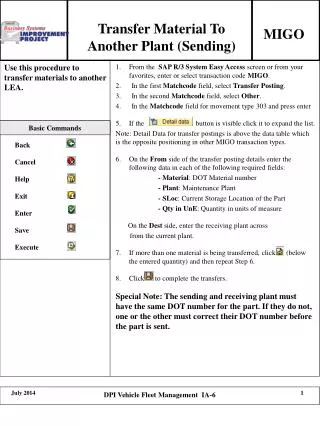
This guide covers the process of transferring materials between different plants using MIGO basic commands. It includes instructions for sending and receiving materials, utilizing functions such as Back, Cancel, Help, Exit, Enter, Save, and Execute. Additionally, it highlights the integration with Vehicle Fleet Management within the DPI system, ensuring efficient logistics and tracking during the transfer process. Learn the best practices for managing inter-plant transfers effectively.

E N D
Transfer Material To Another Plant (Sending) MIGO Basic Commands Back Cancel Help Exit Enter Save Execute DPI Vehicle Fleet Management IA-6
Transfer Material To Another Plant (Receiving) MIGO Basic Commands Back Cancel Help Exit Enter Save Execute DPI Vehicle Fleet Management IA-6