Podcasting World Languages OEC 2009
230 likes | 356 Vues
Dive into the world of podcasting with this comprehensive guide. Learn about the essential tools you'll need, including a microphone, computer, and Audacity for recording and editing your podcasts. Step-by-step instructions will help you create a Gcast account, upload your audio files, and publish your podcast with ease. Whether you're a beginner or looking to enhance your podcasting skills, this resource will guide you through the subscription options via iTunes, email alerts, and more. Start your podcasting journey today!


Podcasting World Languages OEC 2009
E N D
Presentation Transcript
Podcasting World Languages OEC 2009 JoNelle Gardner gardnerj@fort-mill.k12.sc.us ghesblog@blogspot.com
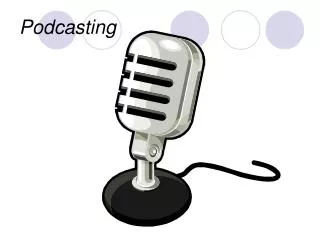
You Need • Microphone • Logitech or other brand • Recorder • Free built in your computer (Run: sndrec32) • Audacity • Computer • With speakers • MP3 player and headphones are optional
IMPORTANT: File types: Audacity Project (recording& editing) MP3 WAV Record Export as MP3 for Gcast Audacityfree audio recorder and editor
Downloading Audacityhttp://audacity.sourceforge.net/download • Search for “download audacity” • Choose your OS • Follow on screen directions
Audacity • MP3 files for Gcast • Wave files for your computer
LAME MP3 encoder • Just need these steps once per computer
Create Gcast Account • Before you begin – decide on your name
Create Gcast Account • Before you begin – decide on your name
Create Gcast Account • Skip phone number!
Upload file • Upload your recording- From your computer: Upload new audio files
Add information • Add title and description for easier identification and searches later • You made it!
Add another file • Create another podcast
Publish • Publish your podcast with just a TITLE and a CLICK! (well almost)
Subscribe to podcast XML file • iTunes • Google Reader • more or Email alerts
How to listen and subscribe to podcasts http://www.gcast.com/htdb/info/how_subscribe.html If link is blocked, please continue presentation.
Click & play on the web • If your web browser is enabled with Flash, you can listen to podcasts embedded in web pages (such as the one on the Gcast home page). • This allows anybody to embed a podcast in any web page.
Download MP3 files • Many podcast channels are also available as individual MP3 files which you can download to your computer and listen on your media player of choice.
Subscribe via iTunes • If you have iTunes, you can use it to subscribe to any podcast channel • Select the "Subscribe to Podcast" option from the "Advanced" menu in iTunes.
Subscribe via MyYahoo or MyMSN • If you have a MyYahoo or MyMSN account, you can easily add any podcast channel to that account. The podcast channel will simply appear as a new module, and each new "post" will appear as a new "headline" on your personalized page.
Subscribe via email alerts • This is the simplest way to subscribe to a podcast. GCcast enables listeners to subscribe for email alerts and whenever a podcast channel is updated, you'll automatically receive email with links to download the new audio file(s).
How to listen and subscribe to podcasts http://www.gcast.com/htdb/info/how_subscribe.html