
Integrating Collaborative Tools into Browsers for Enhanced Workspace Management and Navigation
The new "Collaborate" button integrates innovative user interface capabilities directly into browsers like IE (via SpiceIE) and Firefox. This collaboration interface offers novel input methods including gestures, hand signals, and potentially an LED glove, facilitating navigation in 3D environments. Users can manage documents and media with contextual menus, links, and tags, enabling seamless file movement and organization. Designed for both exploration and efficiency, this tool enhances collaborative workflows by utilizing modern browsing capabilities and user interaction methods.

Integrating Collaborative Tools into Browsers for Enhanced Workspace Management and Navigation
E N D
Presentation Transcript
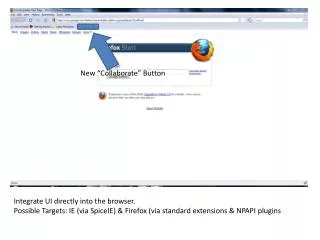
New “Collaborate” Button Integrate UI directly into the browser. Possible Targets: IE (via SpiceIE) & Firefox (via standard extensions & NPAPI plugins
Collaboration Interface Breaks out into FullScreen either easily, or by default Presumably a Silverlight app “under the hood”. Novel input schemes found here. Can be broken out into a stand alone app as well (or at least, in appearance)
Input • Ideas • Hand gestures/sign language* • Implies some sort of LED glove • Requires a novel and discoverable set of gestures • The “Bat” • Mouse + a third dimension • Requires that people be able to navigate in 3-dimensions *This seems like the way to go – less 3d thinking, and less fatigue.
Adding to the Workspace • Context menu on: • Selected Text • URLs • Images • Videos (tricky, given Flash and all) • Add files directly from workspace • Standard file selection dialog • Move collections of items between different workspaces (cut/copy & paste) • Some sort of partial serialization
Manipulation Within Workspace • Add “links” • Symmetric or not • Think “correlated” versus “thus” semantic • Carry information (labels, or other documents) • Tags • Required by spec • Grouping & Categorization • “cats” & “beta deliverables” • Its possible to implement links as a special form of tags
Manipulation Within Workspace (continued) • Zoom on workspace (links and document previews scale/hide) • Select related documents (Expose style?) • View history of workspace (or some history) • I’m picturing a visual playback with a timeline • Select all documents of a given type • All of these operations can be performed on the currently selected subset of the Workspace (all Images in Tag A related to …)
Tags • Tags can be implemented in a couple of ways • Google style – simple labels applied to a document • Facebook style – have a side-effect (notice, or export to a feed, etc.) in addition to categorizing • Proposed hybrid • Google style by default, but any user can “listen” on a tag; getting notice (on login, or through some other medium) when a tag is applied • A few tags should be Facebook style by default – say “important” or “user:Kevin.Montrose”.
Server XML or JSON Describing Workspace Browsing History “Interesting” Webpage Data Etc. Links (between items) New Documents Changes to Organization Plugin Security/Privacy Boundary UI Clients
Document Workspace Webpage URL Image Video Text Arbitrary File Browsing History (whole or part) Query on a Database (w/ or w/o results) Documents …………. Link between documents Optionally annotated (with another Document) Workspace should be versioned, so its development over time can be replayed
History (as a document) Paths Website • Keep track of path taken with respect to time, so it can be replayed (and added to a workspace as such) • “All children of a node” (not following links that lead back up the hierarchy) is meaningful • Possibly all related • Possibly search results • If we add some outside knowledge (like, Google is a search engine) we can guess certain user behaviors • Email, Directions (Google/Live Maps), etc.
Some thoughts on Identity • The easiest thing to do is roll our own username/password system • However, that’s a security nightmare (even for a prototype) & we’re forcing users to remember another username/password combo. • Consider OpenID • http://openid.net/ • Supported by: Google, Yahoo, AOL, Wordpress, Flickr, Live Journal, and others.
