Mastering SQL: Essential SELECT Queries and Filters
This guide covers the fundamentals of SQL SELECT statements, detailing syntax and usage to extract data from tables effectively. Learn how to implement WHERE clauses to filter results, using AND/OR conditions for refined queries. Discover the ORDER BY clause to sort your data in ascending or descending order, and how to create column aliases for clarity in results. We'll explore the LIKE operator for pattern matching in queries. With practical examples based on a Playoffs table, this resource is ideal for both beginners and those looking to enhance their SQL skills.

Mastering SQL: Essential SELECT Queries and Filters
E N D
Presentation Transcript
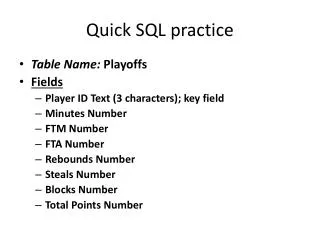
Quick SQL practice • Table Name:Playoffs • Fields • Player IDText (3 characters); key field • MinutesNumber • FTMNumber • FTANumber • ReboundsNumber • StealsNumber • BlocksNumber • Total PointsNumber
More SQL SELECT
Extracting Data from Tables • The SELECT statement • Probably the single most important and widely used SQL command • Syntax: SELECTfields FROMtable WHEREcondition;
A simple SELECT query SELECT Lastname FROM STAR;
More Fields SELECT Lastname, Firstname FROM STAR;
All fields SELECT * FROM STAR;
The WHERE clause • The WHERE clause is the mechanism for filtering out unwanted rows from your results table SELECT Lastname FROM STAR WHERE Lastname=‘Moore’;
AND andOR • More than one condition SELECT Lastname, Firstname FROM Customer WHERE Lastname='Brown' AND Age>20;
OR SELECT Lastname, Firstname FROM customer WHERE Lastname='Brown' OR Age>20; What’s the difference in the results?
A little more nuanced SELECT Lastname, Firstname FROM customer WHERE (Lastname='Brown' AND State='CA') OR (Age>20 AND Sex='F');
ORDER BY • We can sort the results in either ascending or descending order • The default is ascending order. SELECT Lastname, Firstname FROM customer WHERE (Lastname='Brown' AND State='CA') OR (Age>20 AND Sex='F') ORDER BY Firstname;
ORDER BY in descending order SELECT Lastname, Firstname FROM customer WHERE (Lastname='Brown' AND State='CA') OR (Age>20 AND Sex='F') ORDER BY Firstname DESC;
Creating column aliases SELECT LastnameASLName, Firstname FROM customer WHERE (Lastname='Brown' AND State='CA') OR (Age>20 AND Sex='F') ORDER BY Firstname DESC;
LIKE SELECT Lastname FROM customer WHERE Lastname LIKE "B*“;