Download
1 / 5
0 likes | 5 Vues
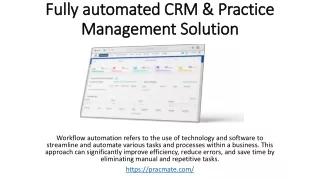
Businesses can easily automate customer engagement with Cheerio AI's visual workflow builder and workflow design templates. Businesses can create, modify, and implement automated workflows for email, Instagram direct messages, and WhatsApp .<br>Visit more information<br>Website : https://www.cheerio.in/workflow-automations<br>Phone Number : 91 93461 17975<br>Email id : Admin@cheerio.in<br>

E N D
Visual Workflow Builder & Workflow Design Templates In today’s fast-paced digital marketing world, businesses need smart automation tools to manage leads, engage customers, and scale operations efficiently. A visual workflow builder simplifies complex automation by allowing businesses to design, automate, and optimize customer journeys visually—without technical expertise. With Cheerio AI, businesses gain access to an advanced visual workflow builder and ready-to-use workflow design templates that streamline marketing, sales, and customer communication across multiple channels. What Is a Visual Workflow Builder? A visual workflow builder is a drag-and-drop tool that helps businesses create automated workflows using a simple, visual interface. Instead of writing code, users can design workflows by connecting triggers, actions, and conditions in a logical sequence.With Cheerio AI’s visual workflow builder, businesses can automate processes across WhatsApp, email, and Instagram DMs from a single dashboard. This ensures faster responses, consistent messaging, and improved customer engagement across all touchpoints. Why Visual Workflow Automation Is Important for Businesses Automation plays a critical role in improving efficiency and conversion rates. A visual workflow builder helps businesses: ● Automate lead follow-ups without manual effort ● Reduce response time across messaging platforms ● Improve lead nurturing and customer journeys ● Increase sales conversions through timely engagement ● Maintain consistent communication at scale Cheerio AI makes automation accessible for businesses of all sizes, from startups to enterprises.
Visual Workflow Builder with Cheerio AI Cheerio AI’s visual workflow builder is designed to be intuitive, flexible, and powerful. It allows users to create workflows by visually mapping out every customer interaction step. Key Features of Cheerio AI Visual Workflow Builder ● Drag-and-Drop Interface: Easily create workflows without coding ● Multi-Channel Automation: Automate WhatsApp, email, and Instagram DMs ● Smart Triggers: Start workflows based on lead actions, form submissions, or campaign responses ● Conditional Logic: Personalize journeys using rules and behavior-based actions ● Real-Time Execution: Instantly engage leads at the right moment This visual approach helps teams understand, manage, and optimize workflows more effectively. Workflow Design Templates with Cheerio AI To make automation even faster, Cheerio AI offers pre-built workflow design templates tailored for common business use cases. These templates eliminate guesswork and help businesses launch automation in minutes. Popular Workflow Design Templates
1. Lead Capture & Welcome Workflow Automatically send a welcome message when a lead connects via WhatsApp or email. 2. Ad Campaign Follow-Up Workflow Instantly respond to ad leads and nurture them with automated follow-ups. 3. Abandoned Inquiry Workflow Re-engage leads who haven’t responded with timely reminders. 4. Appointment Booking Workflow Send confirmations, reminders, and follow-ups automatically. 5. Customer Nurturing Workflow Deliver personalized messages based on customer behavior and engagement. These workflow design templates are fully customizable to match business goals. How Cheerio AI Improves Customer Journeys Cheerio AI connects workflow automation with intelligent lead management. Each workflow is linked to customer data, ensuring personalized communication at every stage. Benefits include: ● Behavior-based messaging ● Automated lead scoring ● Consistent engagement across channels ● Reduced manual workload for teams ● Higher conversion rates By combining AI insights with visual workflows, Cheerio AI helps businesses respond smarter and close deals faster. SEO & Marketing Advantages of Visual Workflow Automation Using a visual workflow builder improves marketing performance by ensuring timely, relevant, and personalized interactions. Cheerio AI enables marketers to: ● Optimize ad campaign conversions ● Track customer engagement across platforms
● Improve ROI with automated follow-ups ● Reduce lead leakage ● Deliver seamless omnichannel experiences Automation also ensures no lead is missed, even outside business hours. Who Can Use Cheerio AI’s Visual Workflow Builder? Cheerio AI is ideal for: ● Digital marketers ● Sales teams ● E-commerce businesses ● Service providers ● Agencies and enterprises Whether you are managing hundreds or thousands of leads, Cheerio AI’s workflow automation scales with your business. Final Thoughts A visual workflow builder combined with ready-to-use workflow design templates is essential for businesses looking to automate customer engagement efficiently. With Cheerio AI, businesses can design intelligent workflows, automate communication across WhatsApp, email, and social media, and deliver personalized customer journeys effortlessly.Cheerio AI empowers businesses to work smarter, convert faster, and grow consistently—making automation simple, scalable, and results-driven. Frequently Asked Questions (FAQs) 1. What is a visual workflow builder? A visual workflow builder is a drag-and-drop automation tool that allows businesses to create automated processes visually without coding. It helps design customer journeys using triggers, actions, and conditions. 2. How does Cheerio AI’s visual workflow builder work? Cheerio AI’s visual workflow builder lets users automate WhatsApp, email, and Instagram DMs from one dashboard by visually connecting lead actions, messages, and follow-ups. 3. What are workflow design templates in Cheerio AI? Workflow design templates are pre-built automation workflows for common use cases like lead follow-ups, ad campaign responses, appointment reminders, and customer nurturing.
4. Can I customize workflow templates in Cheerio AI? Yes, all workflow templates in Cheerio AI are fully customizable. You can edit triggers, messages, timing, and conditions to match your business needs. 5. Does Cheerio AI support omnichannel workflow automation? Yes, Cheerio AI supports omnichannel automation across WhatsApp, email, and Instagram DMs, ensuring consistent communication on all customer touchpoints. 6. Is coding required to use Cheerio AI’s workflow builder? No, Cheerio AI’s visual workflow builder is completely no-code and user-friendly, making it accessible for marketers, sales teams, and business owners. 7. How does workflow automation improve lead conversion? Workflow automation ensures instant responses, timely follow-ups, and personalized messaging, which significantly improves lead engagement and conversion rates. 8. Can workflows be triggered by ad campaigns? Yes, Cheerio AI allows workflows to be triggered by ad campaign leads, enabling automatic responses and structured lead nurturing.