Download

1 / 16
170 likes | 323 Vues
This guide provides a detailed overview of WebSockets, covering their history, functionality, and use cases. Learn how WebSockets enable continuous, bidirectional communication between browsers and servers, significantly reducing overhead compared to traditional methods. Explore practical implementations in various programming languages, including PHP, Python, and JavaScript, and discover libraries like Socket.IO and Ratchet. Understand the importance of when to use WebSockets versus alternatives like polling and long-polling, along with supported browsers and example projects.

E N D
Web Sockets Matthew King
Outline • A Brief History of WebSockets • What are Web Sockets? • How do we use them? • When should we use them? • Supported Browsers • Useful Libraries • Examples
Before WebSockets • How do we update real time data without reloading the page? • Polling • Browser sends requests for data at regular intervals • Long-Polling • Browser sends request • Server keeps request for a fixed time period • Responds with either requested data or a request to terminate the original request • Streaming • Browser sends a complete request • Server maintains an open response that is kept open and continuously updated
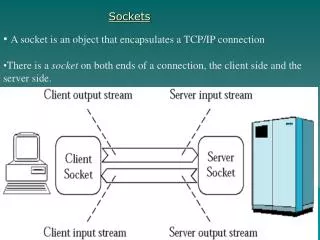
Enter: WebSockets • Continuous connection between the browser and server • Allows for full-duplex, bidirectional messaging between the browser and server • Much less overhead per request
How WebSockets Work • WebSocket Protocol Handshake
How WebSockets Work • Data Frames • Provide minimal information needed to process request • Includes an operation code, type of data, length of data, and masks • Generally, 2 bytes of data is needed to encode the frame • Slightly more (up to 10 bytes) is needed for exceptionally long messages
Using WebSockets (Server) • Work in PHP, Python, C#, C++, Java, Node.js, Ruby • Popular libraries include: • Socket.Io for Node.js • Jetty for Java • EventMachine for Ruby • Pywebsocket for Python • Ratchet for PHP • Syntax and events may differ, but all libraries support: • Receiving messages from client connections • Emitting messages to specific (or all) client connections
Using WebSockets (Client) • Create a WebSocket Object to start a connection
Using WebSockets (Client) • open: Fires when a socket has opened • message: Fires when a message has been received • close: Fires when a socket has closed • error: Fires when there is an error with the socket
When to use WebSockets • The most important factors are: • How often you need to update • The cost of keeping an open connection vs generating a new one • Real-time updates? • Web Sockets • Update once every ten minutes? • Long-polling should be fine
Supported Browsers • Internet Explorer 10+ • Firefox 6+ • Chrome 14+ • Safari 6+ • Opera 12.1+ • Supported by the current version of all major browsers except Opera Mini
Examples • Chat Server made with PHP (Ratchet) • http://socketo.me/demo • Browser-based MMO made with Socket.IO • http://browserquest.mozilla.org/
Sources • http://www.websocket.org/quantum.html • Why to use WebSockets and History • https://tools.ietf.org/html/rfc6455 • WebSocket Protocol Specification • http://www.html5rocks.com/en/tutorials/websockets/basics/ • Basic Tutorial information for using WebSockets • http://caniuse.com/websockets • Browser Support