Microsoft Internet Explorer 5.5 Feature Overview Juan J. Flowers Support Lead Platforms Support Microsoft Corporation
Microsoft Internet Explorer 5.5 Feature Overview Juan J. Flowers Support Lead Platforms Support Microsoft Corporation Overview Installation: Microsoft ® Internet Explorer 5.5 Operating system precautions New features and additions Installation


Microsoft Internet Explorer 5.5 Feature Overview Juan J. Flowers Support Lead Platforms Support Microsoft Corporation
E N D
Presentation Transcript
MicrosoftInternet Explorer 5.5 Feature OverviewJuan J. FlowersSupport LeadPlatforms SupportMicrosoft Corporation
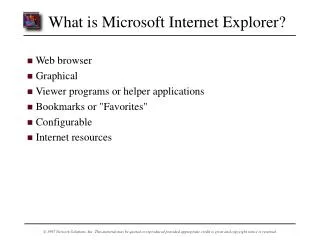
Overview • Installation: Microsoft® Internet Explorer 5.5 • Operating system precautions • New features and additions
Installation • Where can I obtain Microsoft® Internet Explorer 5.5? • http://www.microsoft.com/windows/IE • Active Setup • Acme Setup • System Requirements • Operating system • Processor • Memory • Patching
Installation (2) • End-user license agreement
Installation (3) • Download options (Windows® 95, Windows® 98, and Windows NT® 4.0)
Installation (4) • Download options (Windows® 2000)
Installation (5) • Component options
Installation (6) • Advanced setup options
Installation (7) • Components options for download only • Download option syntax for Windows 2000: <path>\ie5setup.exe /c:"ie5wzd.exe /d /s:""#E" where <path> is the path to Ie5setup.exe
Installation (8) • Internet Explorer download platform options
Installation (9) • Internet download sites and canceling setup
Installation (10) • Internet Explorer CAB download and installation progress
Installation (11) • Installation complete
Operating System Precautions • Microsoft Windows 2000 • Microsoft Windows® Millennium Edition
New Features and Additions • Dynamic Hypertext Markup Language (DHTML) enhancements • Cascading style sheet (CSS) styles • Printing • Personalized Favorites • Security improvements
New Features and Additions (2) • DHTML enhancements: Vertical Text
New Features and Additions (3) • DHTML enhancements: HTML+Time
New Features and Additions (4) • DHTML enhancements: custom scroll bars
New Features and Additions (5) • DHTML enhancements: HTML Popup Objects My favorite weather is:
New Features and Additions (6) • CSS style: First-letter and first-line support
New Features and Additions (7) • CSS styles: Dotted and dashed borders
New Features and Additions (8) • Printing: Print Preview
New Features and Additions (9) • Personalized Favorites
New Features and Additions (10) • Security improvements: • Enhanced encryption strength • Active Scripting disabled in High security level
Conclusion • Installation • Operating system precautions • New features and additions