Download
1 / 3
0 likes | 1 Vues
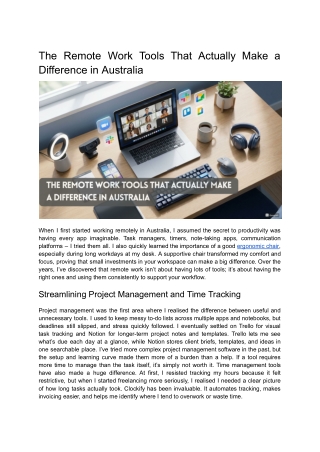
When I first started working remotely in Australia, I assumed the secret to productivity was having every app imaginable. Task managers, timers, note-taking apps, communication platforms u2013 I tried them all. I also quickly learned the importance of a good ergonomic chair, especially during long workdays at my desk. A supportive chair transformed my comfort and focus, proving that small investments in your workspace can make a big difference. Over the years, Iu2019ve discovered that remote work isnu2019t about having lots of tools; itu2019s about having the right ones and using them consistently to support

E N D
The Remote Work Tools That Actually Make a Difference in Australia When I first started working remotely in Australia, I assumed the secret to productivity was having every app imaginable. Task managers, timers, note-taking apps, communication platforms – I tried them all. I also quickly learned the importance of a good ergonomic chair, especially during long workdays at my desk. A supportive chair transformed my comfort and focus, proving that small investments in your workspace can make a big difference. Over the years, I’ve discovered that remote work isn’t about having lots of tools; it’s about having the right ones and using them consistently to support your workflow. Streamlining Project Management and Time Tracking Project management was the first area where I realised the difference between useful and unnecessary tools. I used to keep messy to-do lists across multiple apps and notebooks, but deadlines still slipped, and stress quickly followed. I eventually settled on Trello for visual task tracking and Notion for longer-term project notes and templates. Trello lets me see what’s due each day at a glance, while Notion stores client briefs, templates, and ideas in one searchable place. I’ve tried more complex project management software in the past, but the setup and learning curve made them more of a burden than a help. If a tool requires more time to manage than the task itself, it’s simply not worth it. Time management tools have also made a huge difference. At first, I resisted tracking my hours because it felt restrictive, but when I started freelancing more seriously, I realised I needed a clear picture of how long tasks actually took. Clockify has been invaluable. It automates tracking, makes invoicing easier, and helps me identify where I tend to overwork or waste time.
Keeping Communication Clear and Simple Remote work can be lonely, especially if you’re used to working alongside colleagues every day. Notifications, emails, and video calls can never fully replace casual office chats, so finding ways to connect is crucial. Joining remote work communities, online groups, and even casual coworking spaces has helped me stay connected and motivated. Most remote jobs in Australia rely on Slack, Zoom, or Google Meet, which works well, but constant notifications can derail focus faster than almost anything else. I mute non-essential channels, batch responses, and avoid checking messages outside designated times unless something is genuinely urgent. I’ve also learned that keeping communication simple and predictable reduces stress and prevents small tasks from piling up. Writing tools are also worth considering: Grammarly Premium has been excellent for clarity and readability, while Google Docs remains my go-to for collaboration and version tracking. Backup and Home Office Setup Backing up files is non-negotiable. Early in my remote career, I lost a client document due to a technical glitch, and it taught me a lesson I’ll never forget. I now rely on Google Drive for daily work and cloud backups, with folders organised by client and year. Everything is searchable and accessible from anywhere, which is crucial if you work with multiple clients or travel around Australia. External hard drives are useful as a secondary backup, but nothing beats the peace of mind cloud storage provides. A proper home office setup also makes a big difference. For me, this meant investing in an ergonomic chair in Australia, a good desk, and reliable lighting. My favourite so far has been a model from Sihoo Australia, which is comfortable, supportive, and perfect for long hours at the desk.
The big takeaway is that remote work tools only work if they genuinely reduce friction and support your day-to-day routine. I’ve stopped using apps that required constant maintenance, duplicated features I already had, or added unnecessary complexity. The right tools, combined with a supportive workspace, make remote work sustainable instead of stressful. Start simple, add tools only when a real need arises, and focus on what genuinely helps your workflow. With the right tools and routines, remote work in Australia isn’t just possible – it’s genuinely enjoyable and sustainable.