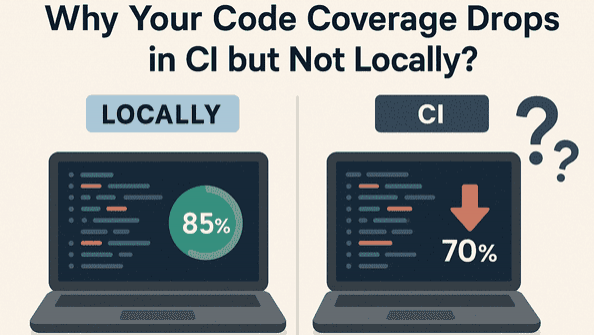
When developers run tests locally, everything often looks perfect. The test suite passes, and the code coverage remains comfortably high. But once the tests run in the CI pipeline, code coverage suddenly drops. This inconsistency creates confusion, false alarms, and wasted debugging time. Understanding why code coverage behaves differently in CI environments is essential to building dependable testing workflows — especially at scale. This article breaks down the real root causes behind fluctuating code coverage and helps you avoid common pitfalls in modern DevOps pipelines.
Understanding the CI vs Local Discrepancy
Code coverage represents which parts of the codebase were executed during tests. When coverage drops in CI, it doesn’t always mean the tests are failing — the environment and tooling differ in ways that influence measurement. These differences may affect file execution paths, instrumentation, test discovery, and configurations. To ensure trustworthy code coverage reports, each factor must be aligned between the local and CI setup.
Common Reasons Behind CI Code Coverage Drops
These are the most frequent root causes developers encounter:
1️⃣ Missing or Skipped Tests in CI
Some tests may be skipped due to:
- Feature flags
- Different environment variables
- Conditional test logic
- Tags or filtered test runs
2️⃣ Debug vs Optimized Build Modes
Locally, tests typically run in debug mode. CI pipelines may:
- Strip debug symbols
- Optimize binaries
- Remove unused code paths
3️⃣ Race Conditions and Flaky Tests
Tests that pass locally may fail silently in CI due to:
- Limited compute resources
- Containerized isolation
- Higher parallelism
- Timing-sensitive execution
4️⃣ Parallel Test Execution Without Merging Reports
Tools like pytest-xdist, Jest, and NUnit often:
- Split tests across workers
- Generate multiple coverage artifacts
5️⃣ Missing Instrumentation in CI
Coverage tools must instrument the code before execution. Coverage may drop if:
- Non-instrumented builds run in CI
- Coverage CLI isn’t applied consistently
- Dependency versions differ across environments
Generated or temporary files can differ between environments. Coverage discrepancies arise from:
- Different inclusion/exclusion rules
- Shallow clone missing history
- Additional paths included in CI
Best Practices to Keep Coverage Consistent
Here’s how to stabilize code coverage metrics:
- Use identical test commands in both environments
- Freeze dependency versions
- Ensure the same runtime and OS configuration
- Merge coverage reports when running parallel tests
- Make coverage config files version-controlled
- Log skipped tests and hidden failures
- Treat missing coverage artifacts as pipeline errors
Quick Troubleshooting Checklist
If your CI coverage unexpectedly drops, verify:
- What to Check: Were all tests executed?
- Why It Matters: Skipped tests reduce coverage
- Any silent failures? Flakiness leads to partial execution
- Are builds instrumented? Optimized binaries hide coverage
- Are multiple reports merged? Parallel execution may split results
- Are new files tracked correctly? Incorrect paths or patterns inflate gaps
Final Thoughts
A drop in code coverage inside CI doesn’t necessarily mean lower code quality. Most of the time, it indicates environmental differences that must be aligned — not missing tests. Once your CI and local environments behave consistently, coverage becomes a reliable metric for test depth and code health. Treat coverage as a visibility tool — something that helps expose untested logic rather than a vanity metric to maximize.