Exploring Human-Computer Interfaces: Design Types and Best Practices
This presentation delves into various types of Human-Computer Interfaces (HCI) including Graphical User Interfaces (GUI), menu-based interfaces, form-based interfaces, natural language interfaces, and command line interfaces. Each type is demonstrated with examples and suitability for different user groups. Additionally, we discuss effective user interface design principles such as providing novice help, expert shortcuts, meaningful images, consistent behavior, and clear error messages. Emphasis is placed on creating uncluttered screens with effective color and text usage, leading to practical application in form design using tools like Java NetBeans or MS Access.

Exploring Human-Computer Interfaces: Design Types and Best Practices
E N D
Presentation Transcript
Human Computer Interface (HCI) HCI is the point where humans can interact with the computer. They are designed using software and are facilitated by hardware (input and output devices). TASK: Prepare a presentation of the following different types of interface design: Graphical User Interface (GUI) Menu based interface Form-based interface Natural language interface Command line interface Give examples of each and explain why they would be suitable for different purposes and certain user groups.
Good User Interface Design Now create checklist of things to consider when designing an effective user interface: • Provide: • Help for novice users • Short cuts for experts • Meaningful images • Consistent behaviour • Clear, helpful error messages • Uncluttered screens with effective use of colour and text that is easy to read. • Text vs Graphics • GUIs are generally easier to use • Sometimes it is quicker for an expert to type commands • Overuse of GUIs can slow the system down
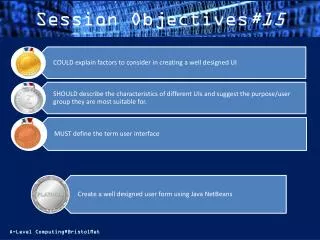
Practical – Form Builder Create a well designed user form with the UI principles in mind. You can either use Java Netbeans for an online form or MS Access for an offline database form. Tutorial 1 – Basic GUI Tutorial 2 – GUI Entry Form