
Uploaded by
aderyn
1 SLIDES
192 VUES
40LIKES
Classroom Setup Guide: Optimizing Space with Technology and Seating Arrangements
DESCRIPTION
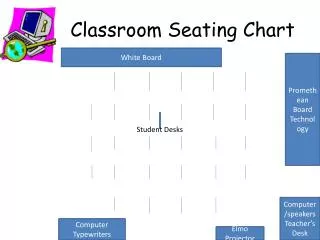
Discover effective strategies for arranging your classroom with a focus on technology and student interaction. This guide covers various layouts for desks, teacher's desk placement, Promethean board positioning, and optimal locations for computers and projectors. Learn how to integrate Elmo document cameras, speakers, and whiteboards for a productive learning environment. Maximize your space and ensure that every student is engaged, while keeping technology seamlessly integrated into daily lessons.
Download
1 / 1
Télécharger la présentation 
Classroom Setup Guide: Optimizing Space with Technology and Seating Arrangements
An Image/Link below is provided (as is) to download presentation
Download Policy: Content on the Website is provided to you AS IS for your information and personal use and may not be sold / licensed / shared on other websites without getting consent from its author.
Content is provided to you AS IS for your information and personal use only.
Download presentation by click this link.
While downloading, if for some reason you are not able to download a presentation, the publisher may have deleted the file from their server.
During download, if you can't get a presentation, the file might be deleted by the publisher.
E N D
Presentation Transcript
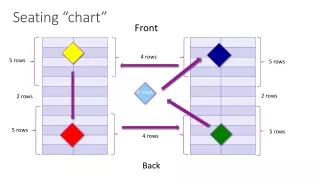
Classroom Seating Chart White Board Promethean Board Technology Student Desks Computer/speakers Teacher’s Desk Computer Typewriters Elmo Projector
More Related