Comprehensive Overview of Knowledge Export Features in DOCTUS
Explore the extensive knowledge export capabilities of DOCTUS in this detailed guide. Learn how to generate HTML pages with on-page reasoning, create various types of graphs, and format data into tables or reports containing intricate details from your knowledge base. Discover how to export graphs in diverse formats, customize the user interface, and leverage advanced export templates tailored for sophisticated users. Whether you need deductive or inductive graphs, this tour will equip you with all the necessary tools for effectively exporting and presenting your knowledge.

Comprehensive Overview of Knowledge Export Features in DOCTUS
E N D
Presentation Transcript
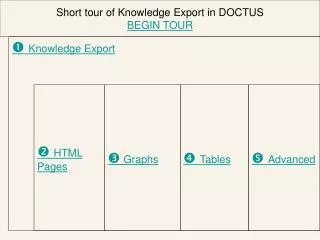
Short tour of Knowledge Export in DOCTUS BEGIN TOUR Knowledge Export HTML Pages Graphs Tables Advanced
Short tour of Knowledge Export in DOCTUS Knowledge Export Doctus is capable of exporting knowledge bases in various forms of intelligent agents. The dialog box opens from the file menu or using the button from the toolbar. It generates HTML pages with enabled on-page reasoning; graphs can be exported in different graphical formats, it can create tables or reports containing details from the knowledge base and many other features are available in advanced mode. Next
Short tour of Knowledge Export in DOCTUS HTML Page . First choose what kind of graph you want to work with. For deductive graph Doctus can create single or multipage HTML forms, for inductive graphs single page is disabled. Finishing button ‘Reason’ enables the on-page reasoning and/or you can choose to enable sending the case to your e-mail box. Cases from your e-mail box can be later imported by Doctus. On the right side you can choose the language and the color scheme of the page(s). Previous Next
Short tour of Knowledge Export in DOCTUS Graphs The knowledge base in Doctus appears in form of deductive (Rule Based) and/or inductive (Case Based) graphs. The actual graph(s) can be exported in various picture formats. The ‘Office Drawing Shape’ places the picture on the clipboard, so it can be pasted in Microsoft Office applications. The ‘gif’ produces a standard gif format and the ‘dib’ is the Windows internal device independent bitmap file format. Previous Next
Short tour of Knowledge Export in DOCTUS Tables Many details of a knowledge base can be listed in form of tables: attributes with their values, cases with assigned values, rules of Rule Based nodes (as lists or 2D format), details of Case Based nodes (informativity, cases and statistics) and cluster configuration for clustered attributes. For all of them options of current or all is available. The tables can be exported as Excel workbook (one file only) or gif or dib picture format (separate file for each picture with automated name generation). Previous Next
Short tour of Knowledge Export in DOCTUS Advanced In advanced mode various types of server (php, perl), client (html) and desktop (c++, xls) applications and reports (rtf) can be created from the knowledge base. Besides the above listed predefined templates users can build their own ones. Note: strongly recommended for advanced users only! Specialized export templates can be built by advanced users based on the above listed predefined ones. Previous