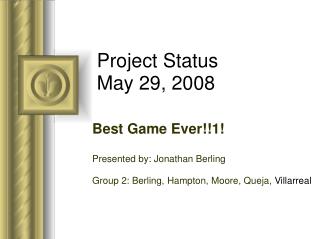
Project Status May 29, 2008
70 likes | 238 Vues
This presentation outlines strategies for engaging audience participation during discussions, which can lead to actionable outcomes. By utilizing PowerPoint's "Meeting Minder," presenters can efficiently track inquiries and action items raised during the presentation. Key instructions include accessing the "Action Items" tab to record input from attendees, ensuring important points are documented for follow-up. The presentation also covers the project's status as of May 29, 2008, highlighting achievements, attention areas, and goals for the next review.


Project Status May 29, 2008
E N D
Presentation Transcript
This presentation will probably involve audience discussion, which will create action items. Use PowerPoint to keep track of these action items during your presentation • In Slide Show, click on the right mouse button • Select “Meeting Minder” • Select the “Action Items” tab • Type in action items as they come up • Click OK to dismiss this box • This will automatically create an Action Item slide at the end of your presentation with your points entered. Project Status May 29, 2008 Best Game Ever!!1! Presented by: Jonathan Berling Group 2: Berling, Hampton, Moore, Queja, Villarreal
Status Summary Is project on track for delivery as expected? Yes What is final date for delivery? May 29th, 2008 Wednesday, April 09, 2008 CMPS 335 Spring 2008
Progress achievements / progress since last update Documents Packaging Beta Testing Wednesday, April 09, 2008 CMPS 335 Spring 2008
Attention Areas delays / problems since last status update None Wednesday, April 09, 2008 CMPS 335 Spring 2008
Schedule Project Due Date- May 29th: DONE Wednesday, April 09, 2008 CMPS 335 Spring 2008
Technology outstanding technical issues None dubious technological dependencies none, ever! Wednesday, April 09, 2008 CMPS 335 Spring 2008
Goals for Next Review May 29, 2008 Study for Final Wednesday, April 09, 2008 CMPS 335 Spring 2008