Efficiently Importing Spreadsheet Data into Documents: Strategies and Best Practices
When writing reports that require spreadsheet data, such as health statistics from the previous year, you must decide between copy-pasting data or importing by link. Copy-pasting creates separate copies, which can lead to inconsistencies when the spreadsheet data changes, as updates in the sheet do not reflect in the document. Conversely, importing by link keeps the document updated with any modifications in the spreadsheet, ensuring your data is accurate. This guide explores how to choose the best method, the necessary procedures to follow, and examples of optimal practices for dynamic data management.

Efficiently Importing Spreadsheet Data into Documents: Strategies and Best Practices
E N D
Presentation Transcript
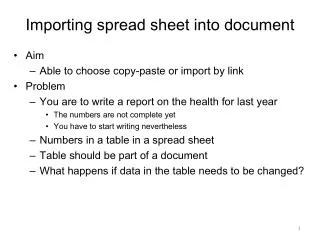
Importing spread sheet into document • Aim • Able to choose copy-paste or import by link • Problem • You are to write a report on the health for last year • The numbers are not complete yet • You have to start writing nevertheless • Numbers in a table in a spread sheet • Table should be part of a document • What happens if data in the table needs to be changed?
Copy-Paste • Two copies of the table on the hard disk • Changes in spread sheet NOT propagated to document Copy - Paste
Import by link • One table on the hard disk • Link • Changes in spread sheet propagated to the document Import by link
Procedures Copy-paste Import by link Open both files Insert the table into the document such that the link to the spreadsheet is kept Check by changing the spreadsheet • Open both files • Copy the table and paste it into the document • Check by changing the spreadsheet
Two ways Copy - Paste Import by link Inconsistencies when updating the spread sheet Inconsistencies avoided
c Functional dependency • Import by link Changes in spreadsheet changes in document • Table of contents Pages inserted Table of contents updated • Formulas in spreadsheet Arguments changed Result updated • Link from display to data storage • Data changed Changes propagated to display Other examples?
c c Other use? Are there other types of data than tables where import by link is an advantage? When do we choose Copy-Paste anyhow?