
Quick Start Guide to Mobile Advertising for Your App
Welcome to mobile! Your branded application is now live for millions of smartphone users. Monetize this valuable audience with our mobile advertising tools. Gain 24/7 access to ad reporting and campaign management through our Ad Portal. Get trained with web-based demos and manage your marketing with our Campaign Manager. Use our resources for support, troubleshoot FAQs, and receive help from your account manager. Our ad units meet MMA Global Advertising Guidelines, supporting various image formats and sizes for effective campaigns.

Quick Start Guide to Mobile Advertising for Your App
E N D
Presentation Transcript
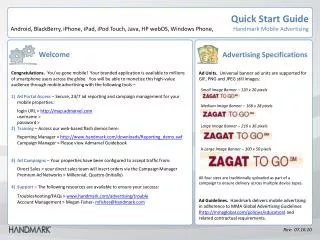
Quick Start Guide Android, BlackBerry, iPhone, iPad, iPod Touch, Java, HP webOS, Windows Phone,Handmark Mobile Advertising Welcome Congratulations. You’ve gone mobile! Your branded application is available to millions of smartphone users across the globe. You will be able to monetize this high-value audience through mobile advertising with the following tools – Ad Portal Access– Secure, 24/7 ad reporting and campaign management for your mobile properties: login URL > http://map.admarvel.com username > password > 2) Training – Access our web-based flash demos here: Reporting Manager > http://www.handmark.com/downloads/Reporting_demo.swf Campaign Manager > Please view Admarvel Guidebook 3) Ad Campaigns – Your properties have been configured to accept traffic from: Direct Sales > your direct sales team will insert orders via the Campaign Manager Premium Ad Networks > Millennial, Quattro (initially) 4) Support – The following resources are available to ensure your success: Troubleshooting/FAQs > www.handmark.com/advertising/trouble Account Management > Megan Fisher- mfisher@handmark.com • Advertising Specifications • Ad Units. Universal banner ad units are supported for GIF, PNG and JPEG still images: • Small Image Banner – 120 x 20 pixels • Medium Image Banner – 168 x 28 pixels • Large Image Banner – 216 x 36 pixels • X-Large Image Banner – 300 x 50 pixels • All four sizes are traditionally uploaded as part of a campaign to ensure delivery across multiple device types. • Ad Guidelines. Handmark delivers mobile advertising in adherence to MMA Global Advertising Guidelines (http://mmaglobal.com/policies/education) and related contractual requirements. Rev: 07.16.10