SlideServe
Menu
Préférences
© SlideServe · v2026
Anthony H Garza

Anthony H Garza

@anthonygarza
United States

7 Contenus publiés

68 1. Discuss rehabilitation and restorative care PPT
1. Discuss rehabilitation and restorative care

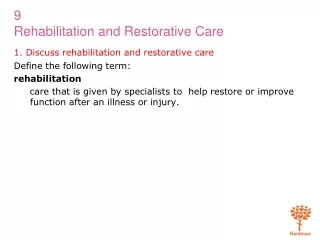
1. Discuss rehabilitation and restorative care. Define the following term: rehabilitation care that is given by specialists to help restore or improve function after an illness or injury. 1. Discuss rehabilitation and restorative care. Rehabilitation seeks to move the resident from

862 vues
53 Building Java Programs Chapter 3 PPT
Building Java Programs Chapter 3

Building Java Programs Chapter 3. Parameters and Objects. Redundant recipes. Recipe for baking 20 cookies: Mix the following ingredients in a bowl: 4 cups flour 1 cup butter 1 cup sugar 2 eggs 40 pounds chocolate chips ... Place on sheet and Bake for about 10 minutes.

563 vues
17 Warm-Up PPT
Warm-Up

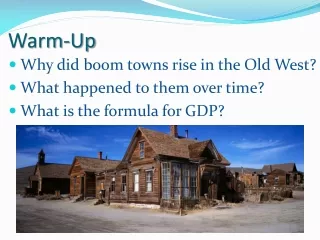
Warm-Up. Why did boom towns rise in the Old West? What happened to them over time? What is the formula for GDP?. Income and Expenditure. Chapter 27: Income and Expenditure (pages 704-727). What is GDP?. GDP = C + G + I + (X-M). Consumer Consumption. Consumers have disposable income (Y d )

199 vues
24 CARDIOVASCULAR DRUGS PPT
CARDIOVASCULAR DRUGS

CARDIOVASCULAR DRUGS. Chapter. ANTIARRHYTHMIC DRUGS. Sodium influx inhibitors. These drugs decrease the rate of sodium movement into the cell Allow SA node to regain control of heart rate and re-establish sinus rhythm. Lidocaine. Only comes in injectable form and is given IV

479 vues
41 Qualitative  Reverse Engineering PPT
Qualitative Reverse Engineering

Qualitative Reverse Engineering. Do ri an Šuc and Ivan Bratko Artificial Intelligence Laboratory Faculty of Computer and Information Science University of Ljubljana, Slovenia. Overview. Qualitative reverse engineering: generating explanation of engineering designs in qualitative terms

430 vues
9 What NOT to do with accessibility. PPTX
What NOT to do with accessibility.

What NOT to do with accessibility. What is PDF?. PDF (Portable Document Format) Common end product Preserve format and security Created by Adobe (company) Edited and viewed in Acrobat (program) Adobe > Acrobat > PDF = Microsoft > Word > doc. PDF Accessibility.

131 vues