Comprehensive Guide to Preparing for TSDL in MiCase SIS: Challenges and Preparation Steps
This guide outlines the essential steps and challenges involved in preparing for the Teacher Student Data Link (TSDL) using the MiCase Student Information System (SIS). It covers foundational philosophies, necessary documentation, preparation steps, and specific entries required for accurate reporting. Key aspects include generating files, reporting performance information consistently across districts, and ensuring accurate data entry for teachers, courses, and student statuses. Relevant resources such as CEPI documentation and training videos are also highlighted to facilitate effective implementation.

Comprehensive Guide to Preparing for TSDL in MiCase SIS: Challenges and Preparation Steps
E N D
Presentation Transcript
Preparing for TSDL MiCase SIS System
Agenda • Philosophy of TSDL • Challenges Involved • Documentation Available • Preparation Steps • Generating Files
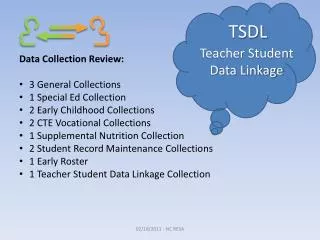
Philosophy of TSDL • Report performance information for each class a student takes, linked to the teacher • Report the information in a consistent manner across all districts • Report the information as an “end of year” snapshot • CEPI will consolidate information and send back to districts for use in evaluations
Challenges Involved • Entry of Subject Codes, Course Codes, Course Types, Virtual Courses and Mentor Status • Entry of PIC codes for all teachers • Gathering course and grade information for all grade levels (especially elementary) • How to identify completion status for all courses and how to store that information • How/whether to include withdrawn and exited classes • Summer School Students and SIS Roll-Over • Students in a class with mixed subjects (NovaNet, etc).
Documentation Available • CEPI Website (www.mi.gov/cepi) • Component specifications • NCES Code Documents • Training Videos • MiCase Website (www.mi-case.org), Support>MiCase Student Information • TSDL Reporting from MiCase SIS and Field Mapping • This PowerPoint and pending Video Recording
Preparation Steps • Enter PIC codes for all teachers in the Modules>School Administration>Teachers Information screen. • Enter NCES Subject Codes, NCES Course Codes, and Course Types in the Modules>Grading>Grading Course File screen. • Operation to default course type to 01 regular • Enter Virtual Course and Mentor Teacher fields in the Modules>Grading>Grading Master Screen • If you have not entered scheduling grades, use Operations>Update/Change Operations>Enter Scheduling Grades to enter scheduling grades • Change scheduling grade to current for “retained” students
Preparation Steps • Where will course information be pulled from • Transcript Screen • Allows for grade information to be reported • Completion status added here and other fields can be tweaked here • Elementary course information may not be transferred • Student Schedule • May be needed for elementary • Grade available here, but may not be populated • Completion status based on grade or scheduling grade level • Could be used for withdrawn courses
Generating Files • New screen created to handle TSDL – Modules>MSDL>Teacher Student Data Link • Operations>Load Teacher Student Data Link from SIS (to populate screen) • A section for each component • Operations>Export Teacher Student Link 2010-2011 to an XML Format • Ability to read an XML and clear the holding area also • Planning not to run End of School Year procedures until TSDL submission completed