Bouncepad Lounge Training Instructions
Learn how to securely set up your Bouncepad Lounge for an optimal iPad experience. This guide covers everything from unboxing to installation. You'll find detailed steps on how to unlock and remove the faceplate, connect the iPad cable, lock the faceplate back into place, and attach the security cable. Included components are the Bouncepad Lounge device, iPad cable, keys, and security options. Follow our simple instructions and ensure your iPad is safely and effectively integrated into your lounge setup.
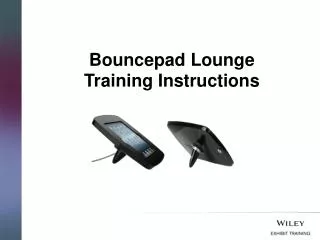

Bouncepad Lounge Training Instructions
E N D
Presentation Transcript
Contents: What’s in the Box/Case • Step 1: How to Unlock and remove the Faceplate • Step 2: How to Connect the iPad Cable • Step 3: How to Lock the Faceplate back into place • Step 4: How to Attach the Security Cable
What’s in the Box/Case: 3 1 2 5 4 Bouncepad Lounge iPad Cable Keys Kensington Lock Cable Padlock
Step 1: How to Unlock & Remove the Faceplate: • Unlock the Secure Case • Remove the faceplate • Lift the lock end of the faceplate first. 3 3 1
This video clip will demonstrate how to lock your tablet into the BouncepadSecure Case, simply click on the image below:
Connect the cable to the iPad and slot into the secure case. Secure the cable with adhesive tape. Ensure the right length of cable is left free at the iPad end. Step 2: How to Connect the iPad Cable: 1 2 3
Step 3: How to Lock the Faceplate back into place: • Place the cable end of the faceplate first. • Squeeze the lock end while locking with the key. 1 2
Step 4: Howto attach the Security Cable: Option 1: Reinforced Cable • A reinforced cable is attached to the back of the stand. • Secure the cable around the furniture and lock with a padlock provided. Option 2: Kensington Cable • The Kensington click safe lock has a metal plate at the back on the stand. • Attach the Kensington cable ensuring the loop is secured around the furniture first. 1 1 2