Enhanced Navigation Structures for Director Implementation
80 likes | 204 Vues
Learn how to map linear, wheel, framing, network, tree, and node navigation structures into Director to create interactive animations with playback control and loop options. Easy to implement with markers and go-to commands.


Enhanced Navigation Structures for Director Implementation
E N D
Presentation Transcript
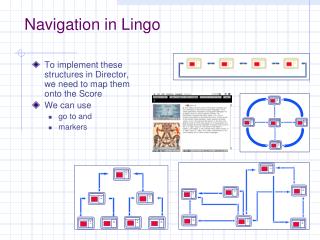
Navigation in Lingo • To implement these structures in Director, we need to map them onto the Score • We can use • go to and • markers
Director’s score • … is linear • Makes it very easy to implement animation (linear navigation)
Linear structure • You can control playback speed by adjusting • tempo • Wait time • wait for the Mouse click • wait for cue point • Implementation: Very easy!
Wheel (jump-linear) structure • Loops with “go to” • At any point you can access the wheel center • Wait for a click before resuming • This one would resume at the beginning • How would you remember where you came from? • Implementation: simple extension of linear!
Framing structure • Much simpler than you may think • Complete network + framing items appearing throughout • Implementation: simple extension of wheel!
Network structure • Implementation of graph edges with buttons’ go to commands • There is also dynamic implementation (when it is not decided in advance where you go) • Careful naming of markers, cast members, helps! • Implementation: extension of framing:Just reduce sprite segments!
Tree(cky) structure • Tree screens are separated by small loops • You can also implement it by separate files (web) • Coloring sprite segments help implementation • Can also implement “back” pointers with a stack
Combination of Node structures • Can be done within a .dir file, or interconnecting files