Download
1 / 3
30 likes | 145 Vues
This guide offers insights from Chris Scaffidi, an educator at OSU's EECS, focusing on the creation of online lectures for Software Engineering courses, including Introductory Software Engineering, Web Development, and Cloud + Mobile Development. Discover the tools used such as PowerPoint and Camtasia, and learn essential recommendations for faculty, including planning for a slow process, ensuring clear slide content, and considering long-term sustainability for lecture delivery. Elevate your online teaching experience with practical advice and experienced strategies.

E N D
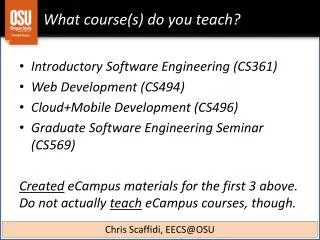
What course(s) do you teach? • Introductory Software Engineering (CS361) • Web Development (CS494) • Cloud+Mobile Development (CS496) • Graduate Software Engineering Seminar (CS569) CreatedeCampus materials for the first 3 above.Do not actually teacheCampus courses, though. Chris Scaffidi, EECS@OSU
What tools did you use to create your online lectures? • Presentation capture • PowerPoint • Camtasia • Software engineering tools • Titanium, Eclipse, various emulators/toolkits • Notepad, web browser Chris Scaffidi, EECS@OSU
What would be your top three recommendations to faculty planning to create online lectures? • Plan for the process to be very slow • There’s little excuse for misspeaking in online lectures; plan to re-record many times until it’s right • Make every slide crystal clear • eCampus students can’t easily raise hands in class • Plan for sustainability • Creating lectures is only the start • Who will deliver the lectures + keep them fresh, and how will your department pay for these efforts? Chris Scaffidi, EECS@OSU