Creating a Custom Calculator Program: A Step-by-Step Guide
This guide walks you through the process of creating a custom calculator program using specific keys and functions. Learn to find essential keys like comma, ALPHA, and STO, and how to name your program within an 8-character limit. Follow instructions to enter formulas in two parts, save your work, and test it. Discover how to refine your program using functions like ROUND and additional features to enhance user experience. This is an excellent introduction for anyone looking to make their own calculator tools.

Creating a Custom Calculator Program: A Step-by-Step Guide
E N D
Presentation Transcript
Before we start: • Find the following keys on your calculator: • The comma key • ALPHA • The “ Key • The ( ) Keys • The STO key • PRGM
Name your program; There is a 8-character limit Press ENTER
Enter the formula in two parts Press: QUIT The program is saved.
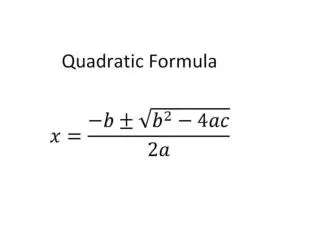
Let’s test it out • Find the values of x: Press enter twice
Let’s polish up our program Choose Press enter ROUND key is under math NUM
More bells and whistles: Give the user an idea about your program: try: Clrhome: PRGM I/o choice 8
More examples 1 2 3