Windows Programming Model
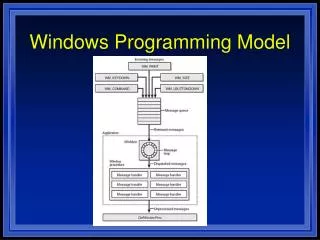
This guide walks you through creating a basic Windows application using the Windows SDK and MFC (Microsoft Foundation Classes). You'll learn how to set up the application, handle window messages, and implement a simple drawing feature with the `WndProc` function. The tutorial includes code snippets for creating a window, processing paint events, and responding to user actions, making it ideal for beginners in Windows programming. With clear explanations and practical examples, you will quickly grasp the fundamentals of Windows application development.

Windows Programming Model
E N D
Presentation Transcript
WINDOWS PROGRAMMING SDK-STYLE NULL, // Menu handle hInstance, // Application's instance handle NULL // Window-creation data ); ShowWindow (hwnd, nCmdShow); UpdateWindow (hwnd); while (GetMessage (&msg, NULL, 0, 0)) { TranslateMessage (&msg); DispatchMessage (&msg); } return msg.wParam; } LRESULT CALLBACK WndProc (HWND hwnd, UINT message, WPARAM wParam, LPARAM lParam) { PAINTSTRUCT ps; HDC hdc; switch (message) { case WM_PAINT: hdc = BeginPaint (hwnd, &ps); Ellipse (hdc, 0, 0, 200, 100); EndPaint (hwnd, &ps); return 0; case WM_DESTROY: PostQuitMessage (0); return 0; } return DefWindowProc (hwnd, message, wParam, lParam); } #include <windows.h> LONG WINAPI WndProc (HWND, UINT, WPARAM, LPARAM); int WINAPI WinMain (HINSTANCE hInstance, HINSTANCE hPrevInstance, LPSTR lpszCmdLine, int nCmdShow) { WNDCLASS wc; HWND hwnd; MSG msg; wc.style = 0; // Class style wc.lpfnWndProc = (WNDPROC) WndProc;// Window procedure address wc.cbClsExtra = 0; // Class extra bytes wc.cbWndExtra = 0; // Window extra bytes wc.hInstance = hInstance; // Instance handle wc.hIcon = LoadIcon (NULL, IDI_WINLOGO); // Icon handle wc.hCursor = LoadCursor (NULL, IDC_ARROW); // Cursor handle wc.hbrBackground = (HBRUSH) (COLOR_WINDOW + 1); // Background color wc.lpszMenuName = NULL; // Menu name wc.lpszClassName = "MyWndClass"; // WNDCLASS name RegisterClass (&wc); hwnd = CreateWindow ( "MyWndClass", // WNDCLASS name "SDK Application", // Window title WS_OVERLAPPEDWINDOW, // Window style CW_USEDEFAULT, // Horizontal position CW_USEDEFAULT, // Vertical position CW_USEDEFAULT, // Initial width CW_USEDEFAULT, // Initial height HWND_DESKTOP, // Handle of parent window
MFC Design Philosophy • Provide an object-oriented interface to the Windows operating system that supports reusability, self-containment, and other tenets of OOP.MFC Design Philosophy • Avoid undue overhead on the system or unnecessarily adding to an application's memory requirements • Document/View Architecture • MFC Class Hierarchy (CObject) • Serialization Support • Run-time class information support • Diagnostics & debugging support
Demo!!! • Multishape Example to demonstrate Serialization • Windows Template Example • Addition of simple transformation to Template • Unix Demo
Sample for Windows Programming • 1. Rebuild the solution on the first time. • 2. Check the classes at the Class View window. • 3. Check the function CKingimageView::OnProcess() • 4. Check the Menu IDO_KINGIMTYPE at the Resource View window. • 5. New image can be saved.
TIPS • Delete “Debug” folder before submitting. • Download .NET https://msdn04.e-academy.com/binghamton_watson/ • No images either if they are too big. • Submit using dropbox. (Demo) • Readme (Template will be provided).
Beginner to learn Visual Studio http://msdn.microsoft.com/en-us/visualc/bb496952.aspx Beginner to learn C++ http://msdn.microsoft.com/en-us/beginner/cc305129.aspx Source for beginner http://msdn.microsoft.com/en-us/visualc/aa336412.aspx http://msdn.microsoft.com/en-us/visualc/ee340952.aspx http://msdn.microsoft.com/en-us/visualc/default.aspx