Vehicle Data Entry
This guide provides a detailed, step-by-step process for using a scan tool to diagnose a 2003 Chevrolet Impala. Begin by accessing the scan diagnostics on the vehicle type you are working with, and navigate through the system to select the correct make, model, and year. Follow simple prompts to find the desired computer to diagnose. Learn how to select the right cable and enter demo mode for training purposes. This instructional guide is perfect for automotive technicians and enthusiasts who want to improve their diagnostic skills.

Vehicle Data Entry
E N D
Presentation Transcript
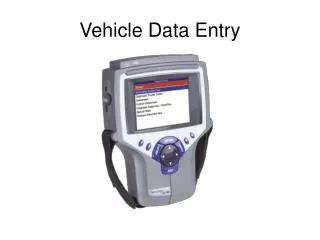
To perform Scan Tool functions scroll to Scan Diagnostics and press Enter Enter Scroll to Scan Diagnostics
Scroll to the vehicle type your are working with and press Enter Enter Scroll to USA 2007 Domestic
Scroll to the brand of vehicle your are working on and press Enter Enter Scroll to GM
Scroll to the Year Range of the vehicle and press Enter Enter Scroll to 2000 - 2007
Scroll to the year of the vehicle and press Enter Enter Scroll to 2003
Scroll to the make of the vehicle your are working on and press Enter Enter Scroll to Chevrolet
Select Car or Truck and press Enter Enter Scroll to Car
Scroll to the Carline and press Enter Enter Scroll to Impala
Scroll to the computer you want to diagnose and press Enter Enter Scroll to Engine/PCM
Scroll to the vehicles engine and press Enter Enter Scroll to 3.4
Select the Smart Cable as shown from the tool box, install it on the Scan Tool and to the Vehicle
For training purposes, press the Demo soft key and then press Enter Enter Press the Demo soft key