Taming the User (or The House of IT Tearaways )
Taming the User (or The House of IT Tearaways ). Peter Higginbotham and Katherine Craddock OUCS. A typical user. It should be quite simple really …. Take ownership of the problem Find out what needs to be solved Identify an appropriate course of action Wrap it up!.

Taming the User (or The House of IT Tearaways )
E N D
Presentation Transcript
Taming the User(or The House of IT Tearaways) Peter Higginbotham and Katherine Craddock OUCS
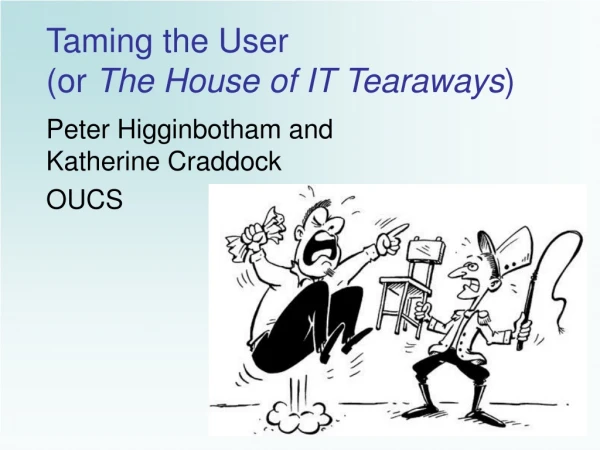
A typical user ... IT Support Staff Conference - Taming the User
It should be quite simple really … • Take ownership of the problem • Find out what needs to be solved • Identify an appropriate course of action • Wrap it up! IT Support Staff Conference - Taming the User
Taking Ownership of a Problem • Doctor vs. plumber vs. IT Support • Establish the contract – even if this is just an internal acknowledgment to yourself • Puts you in driving seat • Doesn’t mean you have to solve problem • Manage users’ expectations IT Support Staff Conference - Taming the User
But then the difficulties begin … IT Support Staff Conference - Taming the User
Identifying the Goal • The user may say they are trying to: • Install an email client • Interpret a Windows error message • Generate a TIF file on a scanner • Discover the FTP command for file transfer • Install Kanji fonts • Look for a “graphics” program However, before leaping in... IT Support Staff Conference - Taming the User
Ask what the user is trying to achieve? • What the user really needs may be to: • View an email attachment • Get an essay printed by midday • Get a diagram into a thesis • Update a web page • View Japanese online news • Prepare a presentation • A key question to ask is“What is it you actually need to do?” IT Support Staff Conference - Taming the User
The most appropriate solution? • Is IT really the answer? • Don’t get bogged down in details of inappropriate solutions • Trying to install zip software on Windows XP • Misbehaving s/ware on under-spec systems • Installing PhotoShop to edit a screen shot • Does user have sufficient resources for current solution, e.g. hardware, time? IT Support Staff Conference - Taming the User
It can be tricky to pin-point the problem … IT Support Staff Conference - Taming the User
Has it ever worked? • Yes, but now not working. What’s changed? Be sceptical if the answer is “nothing”. • Works intermittently. Pattern? e.g. time-of-day, location, existing vs. new files? • Network problems – “do other people around you have similar problems?” • No, has never worked IT Support Staff Conference - Taming the User
Take me through what you’ve done so far... • What steps have you already been through? • Were any steps omitted or unsuccessful? • Were there any error/warning messages? • Have any other solutions been tried (maybe interfering with current strategy)? • Where instructions have been followed • Where did they come from? Up-to-date? • Get user to read out configuration settings (can reveal misinterpretations and typing errors) IT Support Staff Conference - Taming the User
Detail, detail, detail... • Exact error messages/codes - often useful search terms in Google etc. • Replicability of problem - does it always happen at exactly the same point? • Generality - e.g. • does it happen with all documents/disks/etc. or just this one? • Does this document/disk/cable/etc. work on other systems? IT Support Staff Conference - Taming the User
Never assume anything about... • User e.g. competence, experience, ability to follow instructions, typing skills, location, status • Hardware – PC/Mac, vintage, spec. • Software – version, source/legitimacy • Network – ethernet/broadband/dial-up • Accuracy/completeness of software configurations instructions IT Support Staff Conference - Taming the User
While solving the problem, don’t lose track of time … IT Support Staff Conference - Taming the User
Time Management - Advisor • Users who give too much information – “Let’s not worry about that just now.” • Users with multiple questions: • Prioritise – identify the most pressing problem • Postpone until solution really needed – avoid the “while I’m here” syndrome. • Offer to research and get back to user • Refer user to courses, web pages etc. • Give instructions for more time-consuming solutions and ask them to come back if problem persists. IT Support Staff Conference - Taming the User
Time Management - User • Is the solution time-effective, e.g. • lost files - updating an older backup version or retyping whole thing could be quicker than scanning print-outs or using complex/ unpredictable/expensive file/disk salvage • diagrams etc. - quicker (and possibly better results) to photocopy/cut-and-paste than scan originals. Still a role for the fax machine! IT Support Staff Conference - Taming the User
Empowering the User • Tell user what you’re doing, or where an answer came from, e.g. guide them to relevant web page or help-screen. • Suggest routes to future self-help, e.g. • “Always worth trying a web search” • “The Endnote web site has lots on that” • “Try looking up ‘labels’ in the on-screen help” • “There’s an OUCS course on this” • “You could set a bookmark here” IT Support Staff Conference - Taming the User
And the biggest challenge of all – the USERS … IT Support Staff Conference - Taming the User
Self-Important/Demanding Users • Treat the Vice Chancellor the same way you would treat the college cleaner • No-one has right to pressurise you into • Bending the rules • spending an unreasonable amount of time or effort on trying to fix something • Be polite, be helpful, be detached, be realistic, be assertive IT Support Staff Conference - Taming the User
Non-English Speakers • Don’t speak louder – just more slowly and distinctly • Use simple language and try alternative phrasing if you aren’t understood • Sometimes helps to write things down or draw pictures • Don’t panic over foreign Windows versions • Icons are the same • Positioning of menus and within menus is similar • Keyboard shortcuts still work • Ask for a translation IT Support Staff Conference - Taming the User
Angry/Frustrated Users • Listen to their frustration/complaints • Sympathise (but don’t give false hope) • Establish what it is they really want to do – they have often lost sight of this • Try and suggest practical alternatives • Be realistic about what can be done with available time/resources especially if user is being overambitious. IT Support Staff Conference - Taming the User
“Helpless” Users • Persuade users to try it themselves – hand-hold first steps, give encouragement… • If instructions complicated, highlight the main steps in simple terms. • “It’s designed for ordinary people to do. Of course, if you do get stuck...” • “I’ll do it for you” occasionally best strategy e.g. obscure command-line operations the user will not need to repeat IT Support Staff Conference - Taming the User
Over-Inquisitive Users • A job can take twice as long when the user constantly demands details of what you are doing • Find another occupation for them, i.e. ask them to look up information on the web • Suggest they leave the machine with you IT Support Staff Conference - Taming the User
Talkative Users • Rambling: interrupt with targeted questions whenever they drift off-course • Too much information: Ask user to summarise the problem – “and then we’ll come back to the details” • Won’t let you in: say “Can we just stop here while I get my bearings” and then sum up problem as you understand it IT Support Staff Conference - Taming the User
But always keep in mind … IT Support Staff Conference - Taming the User
The Essentials... • Step back from the presented problem • Try to understand the real problem • Don’t get sucked into the details of inappropriate solutions • Don’t assume – check it • Be realistic • Be assertive • Listen to the user • Don’t listen to the user IT Support Staff Conference - Taming the User
Phrasebook Essentials • “What is it you actually need to do?” • “Take me through what you’ve done.” • “Does this always happen?” • “What makes you think that?” • “Let’s not worry about that just now.” • “I’m only available until 4:40.” • “It’s better if we leave that until you’ve...” • “You might find it useful to...” IT Support Staff Conference - Taming the User