Programming with State Machines
This guide explores the fundamental concepts of state machines, which are essential tools for managing complex systems in programming. It delves into the logical models, state definitions, transitions, and design principles that govern state machines. Key topics include the use of state machines for controlling system states, enhancing object-oriented programming, and simplifying error recovery. By the end of the guide, you will gain insights into implementing state machines effectively with Java code examples, as well as tools for visual representation such as Visio.

Programming with State Machines
E N D
Presentation Transcript
Programming withState Machines Team 1279 ColdFusion November 6, 2010
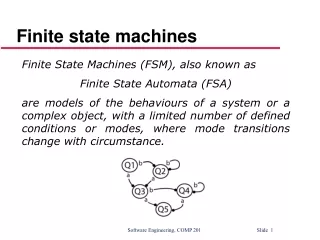
What are State Machines? • Logical Model of a System • Collection of Related Settings: States • Connected by Triggering Events: Transitions • Simple, Consistent Framework: the Machine Initializing Ready
Why Use State Machines? • Abstract Complex Systems • Control System State Changes • Great Match to OO Programming Arm Retracted Arm Extended
The States • States for Each Class to Control • e.g. Kicker, Arm • Easy, Abstract Names • ReadyToKick not Limit1OnandTimerExpired • Everyone needs Init • Constructor/Init should use common method • Easy error recovery • May need transitional States • ArmExtending • Not just ArmRetracted, ArmExtended • Fully Encapsulate! • Easy to add or remove states later
State Contents • Entry Code • Things done once on entry (optional) • Processing Code • Things done while in the State • Exit Code • Clean Up (optional) • Transition Table • Matter of taste
The Transitions • Every State Needs at Least One • Never Two Between the Same States • Usually means a design problem • Probably missing a state • Detection not an Action • Actions kept in the states • Probably missing a state • Light and Clean • Watch for Overlapping Conditions! • Order of conditions important? • Order of transitions important?
Transition Contents • Sensor References • Joystick or Control Panel References • Pass references in constructor • Code to Check Events • Boolean return value
The Machine • Check Current State • Transition Conditions Met? • Clean up old state • Update current state • Initial entry to new state • Process Current State • Call object machines from main loop
Diagrams Proc1 Proc2 Init Ready Proc3 Any State Visio is a great tool for this, but many free apps are also available, this is done in Open Office Impress
Sample Code • Java, easily ported to C++ • Abstract classes & methods • Extend • Use for ideas • On NJ FIRST site • On coldfusion1279.com