Virtual Lab Access: Eagle Server Configuration for Student Use
The Eagle Server configuration allows students to access applications and services within a virtual lab environment as if they were using the internet. This setup features a pre-configured server topology where students can connect their PC hosts to the model network. Key IP settings include Eagle Server and host PCs with specific IP addresses, subnet masks, gateways, and DNS settings. Note that pre-configured settings should not be modified. This environment promotes a hands-on learning experience, reinforcing networking concepts in a controlled setting.

Virtual Lab Access: Eagle Server Configuration for Student Use
E N D
Presentation Transcript
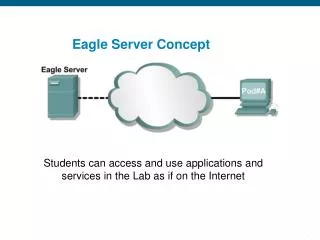
Eagle Server Concept Students can access and use applications and services in the Lab as if on the Internet
Full Eagle Server Topology Pre-configured Students configure PC hosts to access the model network and server
Simplified Eagle Server Topology Host: 1A IP ADD: 192.168.254.10 MASK 255.255.255.0 GW: DNS:192.168.254.254 0/1 Host PC: IP ADD: 192.168.254.65 MASK 255.255.255.0 GW: 192.168.254.253 DNS: 192.168.254.254 Host: 1B IP ADD: 192.168.254.11 MASK 255.255.255.0 GW: DNS:192.168.254.254 s1-central 0/1 0/2 0/3 0/4 Eagle Server VMWare inside PC IP ADD 192.168.254.254 MASK 255.255.255.0 GW:192.168.254.253 NOTE DO NOT CONFIGURE THESE THEY HAVE BEEN CONFIGURED ALREADY – SO DO NOT TOUCH THE Eagle LINUX SERVER at all !!! Host: 2A IP ADD: 192.168.254.12 MASK 255.255.255.0 GW: DNS: 192.168.254.254 Host: 2B IP ADD: 192.168.254.13 MASK 255.255.255.0 GW: DNS:192.168.254.254