Download

1 / 0
What is Search Engine Optimization (SEO)?
0 likes | 463 Vues
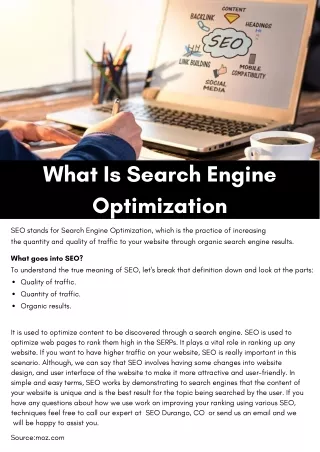
What is Search Engine Optimization (SEO)?. Search Engine Optimization is the Process of :. Making Web sites More Relevant for Search Engines Creating Great Content Enhancing the User Experience Knowing What People Search for is Vital.

Télécharger la présentation 
What is Search Engine Optimization (SEO)?
An Image/Link below is provided (as is) to download presentation
Download Policy: Content on the Website is provided to you AS IS for your information and personal use and may not be sold / licensed / shared on other websites without getting consent from its author.
Content is provided to you AS IS for your information and personal use only.
Download presentation by click this link.
While downloading, if for some reason you are not able to download a presentation, the publisher may have deleted the file from their server.
During download, if you can't get a presentation, the file might be deleted by the publisher.
E N D
Presentation Transcript
- What is Search Engine Optimization (SEO)?
- Search Engine Optimization is the Process of: Making Web sites More Relevant for Search Engines Creating Great Content Enhancing the User Experience Knowing What People Search for is Vital
- SEO is the method used to make yourWeb site relevant to certain keywords The goal of Search Engine Optimization (SEO) is to increase a Web site’s visibility, in terms of organic listings, on major search engines and directories across a broad range of relevant keywords SEO results in: An increase in search engine traffic An increase in brand awareness Note: Organic listings/results are also called “natural”, “unpaid”, or “algorithmic” listings/results
- Why Is Search Engine Optimization Important? “If you build it, he will come.” – Field of Dreams, 1989 Unfortunately, this axiom does not apply in the online world. You can build a spectacular Web site, but without proper marketing/PR it will remain a “ghost town.” Traffic on individual sites is critically dependent on how quickly and easily sites are found and listed by portals and search engines.(Harris Interactive)
- SEO Components Keyword Phrases are CRITICAL. Proper selectionwill ensure valid, quality visitors Page Titles Tell the Story. Use 2 – 3 keyword phrases that describe the page content. META Tags, HTML, and Source Code behind the page. URL File Names establish overall relevancy. Body or Page Text reinforces the Title, Meta and Keywords targeted. Links are Considered “Votes Of Confidence” by search engines.
- How Does a Search Engine Work?
-
How Google Crawls, Indexes and Serves the results
- Google’s search Engine is designed to understand exactly what you mean and give you back exactly what you want
- Crawling is the process by which Googlebot discovers new and updated pages to be added to the Google index. The program that does the fetching is called Googlebot (also known as a robot, bot, or spider). Googlebot uses an algorithmic process. Crawling Google's crawl process begins with a list of web page URLs, generated from previous crawl processes, and augmented with Sitemap data provided by webmasters. As Googlebot visits of each these websites it detects links on each page and adds them to its list of pages to crawl.
- Indexing Googlebot processes each of the pages it crawls in order to compile a massive index of all the words it sees and their location on each page It processes information included in key content tags and attributes, such as Title tags and ALT attributes. Most Flash files and dynamic pages cannot be indexed.
-
Page Rank
PageRank is the measure of the importance of a page based on the incoming links from other pages. Each link to a page on your site from another site adds to your site's PageRank. Not all links are equal -
SEARCH ENGINE RANKINGCRITERIA
Off Page Factors (Primarily Controlled by Others Factors like: Incoming Links Anchor Text Links Page Rank of Sites Linking to Yours Authority Sites On Page Factors (You Control) Factors like: Title Tag Words on your page Domain Name HTML Design URLs - Considered the first factor search engines view Only 64 characters are displayed They should include the keywords targeted for that specificpage Leave your company name out and use the title to tell the visitor exactly what that page is about It is what appears as the first line of your listing on the search engine It should encourage people to click by grabbing attention, creating curiosity and clearly indicating what the page is about
Use Keyword Rich Title Tags
- Search Engines place more importance on keywords found early in the content of the page Feature the keywords you want that page to be indexed under early in your page (the first 25 characters) Target no more than two (2) keywords per page Create the highest keyword density possible The Keyword Density is calculated as a) One Instance of the keyword phrase “Support Hosiery” divided by the total number of words in the Title EXAMPLE: Assume that the client’s current page title is as follows… <title>Support Hosiery | Support Stockings</title> 1 Instance ÷ 4 Words = 25% Density.
Include Your Keywords Early and Often
-
Use Text Links to Your Internal Pages
Ensure that your home page contains actual text links to key pages within your site And every page on your site has a text link pointing to it somewhere within your site Link within your site as resources, definitive guides which you link to from other pages on your site and link to specific blog posts Make sure the links are within the body of the page and not just in the side and bottom navigation bars -
Use Text, Not Pictures as Your Main Communications Tool
Search engines can’t see words that are contained in pictures, they can only see actual text You want to have any keywords you want to rank on in the search engines as text on your pages -
Write Long Copy
The average page ranked on the first page in Google contains more than 400 words Longer copy tends to generate more incoming links Repeat the main keywords between 6-12 times (based on common sense usage) Use semantic text (related terms such as from the Thesaurus) Add new content to your site daily Target one new keyword to build a high quality content page This can include articles, blog posts, new products, how to information, etc. Selectively use bolds, italics and larger sized type. Search engines give higher weight to content that is coded to stand out. -
Use XML Site Maps
An XML site map helps to ensure that the search engines index all of the pages in your site. They should be updated quarterly Google has a free generator: https://www.google.com/webmasters/tools/docs/en/sitemap-generator.html -
Make Sure to Have Clean URLs
There should be no ?’s and &’s in your URL Search engines stop at them and ignore everything that follows Include a fullprimary keyword phrase for the page within the URL The keyword should be placed next to the root domain i.e. www.Ashay.com/Interactiveservices -
Maximize Your Text to Code Ratio
The actual words on your page should exceed the amount of coding required to structure the page Use external CSS and Javascript to cut down on code bloat -
Build Larger Sites, Rather Than Small Individual Sites
Evidence shows that lager sites (greater than 100 pages) tend to do better in the search engines than smaller sites -
SEO Tools
WordTracker Keyword Discovery Google Keyword Tool https://adwords.google.com/select/KeywordToolExternal -
Keyword Research
- Our Challenge 50% of the 200 million searches performed a day on Google are unique. -Amit Singhal, Google Engineer
- The Importance of Keywords Keywords are the core of SEO & SEM The wrong keywords = 0 Leads or sales Keyword research is critical to getting the whole campaign to succeed.
- Know your Audience Industry keywords vs. consumer keywords e.g.. Low Fares is an industry term (102 searches per day) Cheap flights is a consumer term (12448 searches per day) Make sure you are targeting the right marketplace.
- Researchers vs. Buyers Researchers will search general keywords – example digital cameras, canon digital cameras. These make good category page keywords as well as content rich buying guides Buyers will shop specifics – canon eos 30d. Use these for subcategories and product pages. To build traffic and brand awareness you want to recommend broader terms to client. For conversions, the more narrow terms are keyword. Use a strong combination of each.
- Types of Keywords Top Searched Terms “Holy Grail” Keywords Category Specific Terms “Long Tail” Keywords
- “Holy Grail” Keywords These are the top search terms that pertain to the clients business. This is often why company executives will call seeking our services. Very difficult terms to achieve.
- Category Specific Terms These are the bulk of the terms in your keyword search. These terms will be used to optimize the category and subcategory pages.
- The Long Tail of Search The long tail is the hundreds to thousands of keywords and key phrases that a site is found for, yet rarely noticed or exploited. In most cases, the top 10 terms provide a lot of traffic, but not nearly as much as the total terms after the top 10 or 20 most popular. Add up the terms that refer 1-3 visits during the month, and chances are, they will add up to more total visitors than the top terms. Source: http://www.searchengineguide.com/bailey/005362.html
- The Long Tail (Cont.) On closer examination, most sites will have the majority of their business (sales and leads) generated from these terms that are rarely tracked. This is the heart of the long tail – that the length, or total number of low-number referred terms outnumbers the height, or the total of top 10 terms.
- The Long Tail (Cont.) As an example, Amazon.com makes 57% of sales from keywords outside of the “popular” terms. Source:http://www.wired.com/wired/archive/12.10/tail.html?pg=1&topic=tail&topic_set=
- Sources for Keyword Data The clients and the competitor’s website Website Navigation and category structure Keyword Tools (Wordtracker, Keyword Discovery, , Google) Web Analytics Data/Log Files Competitor Search Internal Site Search Engine
- Keyword Tip Figure out what are the most popular products on the website. We know that these products convert well, so target keywords for these.
-
The Step By StepKeyword Research Process
- Keyword Research Process Step 1: Review Keywords suggested by client and from the website
- Keyword Research Process Step 2: Generate a “First Pass” list of keywords from review of the site and the products/services offered. Run these words through the keyword tools.
- Keyword Research Process Step 3: Look for as many variations as you can. Use synonyms, misspellings, brand names, geographic names, etc. This list should be exhaustive. Use all the tools at your disposal.
- Keyword Research Process Step 4: If there is commonality among keywords, expand your keyword list using permutations to create an exhaustive list.
- Keyword Research Process Step 5: Re-run your expanded list through the keyword tools to obtain search volume. Keywords with volume should be sent to client. Additional keywords with minimal volume should be included as ‘extra’ terms.
- Keyword Research Process Step 6: Take the keyword terms and categorize them based upon the site categories or services provided.
- Keyword Research Process Step 7: This keyword list is sent to the client for approval. Baseline position report is run on final list of approved terms.
- Keyword Research Process Step 8: Final list for natural search should be saved and marked FINAL
- The Keyword Permutator The Permutator helps you do keyword research by taking advantage of patterns within keyword phrases to help you find additional keyword terms.
- The Keyword Permutator Roots Keyword phrases are typically 2-4 words long, there is usually a root word you can find within each phrase. For example: ‘panasonic tv’ <- tv is the root of this keyword phrase. ‘canon repair’ <- repair is the root of this keyword phrase. When doing keyword research, it is very important to identify as many roots as possible as it directly impacts the quality of your list.
- The Keyword Permutator Modifiers The words before and after the root are ‘modifiers’ and they can be manipulated to find new keyword phrases: ‘panasonic tv’ <- Panasonic is the modify of ‘tv’ ‘sony tv’ <- Sony is the modifier of ‘tv’ ‘mitsubishi tv’ <- Mitsubishi is the modifier of ‘tv’
- The Keyword Permutator What You Will Need WordTracker – Http://www.WordTracker.com http://www.boxersoftware.com/thepermutator.htm https://my.compete.com/plans/ http://www.trellian.com/seotoolkit/
-
Key Optimization Tips
Basic rules that really work: - Most important html tags: title, meta description, h1, h2, h3 -Use keywords in title and url Don't create deep hierarchy, www.domain.com/keyword is better that www.domain.com/folder/subfolder/keyword - Put most important content on top - make your content good from the first day, don't modify your pages too often, every change for Google means your page is going down and then is indexed again in some time, after a few modifications you can drop off first 100 - use keywords in anchor text in websites that point to your website - don't try to cheat. Google is unbelievably clever and will ban you if they suspect something is going wrong - Site Navigation Review your site's navigation. If you notice some elements that may hinder search engine spiders, consider ways to make it easier for the search engines to index your pages.
- HOW TO ANALYZE IF A WEBSITE IS SEO FRIENDLY
- Keywords If you haven't researched your keywords, now is the time to start. Learn what words and phrases people use to find products and services like yours. Skip this step at your peril - it's actually the foundation of your search marketing campaign.
- Site Content Check out your existing content. Does each page have a targeted keyword focus? Is the text written well and compelling? Does your copy explain what you offer your customers? Strong content will not only help you with search positioning - it will help your conversion rates, too.
- Page Titles Evaluate your page Titles. Titles tell the engines (and your customers) what your Web page is about - and a well-written Title helps with your search engine positioning. Your Title should highlight the page's main keyword, and be written like a headline. Remember, your Title competes with nine others on the search engine results page. The more "clickable" your Title, the more that prospects will be tempted to visit your site.
- Description Tag Maximize your meta description tags. Review your descriptions and see what you can do to make them more compelling, and ensure that they are written according to best practices. Your description tag provides you the opportunity to create a powerful marketing statement for each page.
- External Links Think about your links. Stay away from "free for all" link farms that promise thousands of links pointing to your site. The search engines consider this spam, and it will only hurt (not help) your positions.
- External Links Review your internal linking. Check that your navigation bar points to your most important sections and pages. The pages with the highest internal link popularity tend to position more strongly, so focus your linking efforts on your most important pages.
- Conversion Features Finally, ask yourself if you would buy from your own site. Does the design look professional? Is your site easy to navigate? Does the content clearly explain what you offer? If you find your own site frustrating, your customers will too - and you'll lose sales.
- Thank you!QUESTIONS???


![What is SEO? Search Engine Optimization 2020 - Moz Beginners Guide to SEO [Search Engine Optimization] - Moz What Is SEO](https://cdn5.slideserve.com/10124894/getting-the-guide-what-is-seo-indeed-com-to-work-dt.jpg)

More Related