Extreme coding workshop
Join us for an interactive Extreme Coding Workshop where you will learn to build a comprehensive Investigative Case Management System for the Utopia Police Department’s Detective Squad. We'll focus on real-world design and development, bypassing some conventional steps to prioritize functionality and application design. You’ll collaborate on core features such as tracking complaints, managing case statuses, and generating reports. No prior language knowledge? Not a problem! We will cover the essentials. Get ready to dive into coding with a project that matters!

Extreme coding workshop
E N D
Presentation Transcript
Extreme coding workshop Tick-tock….
Extreme coding • A ‘just get it done’ mode • don’t know the language? • learn it! The basics are the same • a loop is a loop is a loop • don’t know how to do a specific thing? • look it up, and get it done!!!! • We will skip some of the official steps of the system life cycle • focus will be on the design and development of the forms and code behind the forms • selected functionality will be targeted initially • selection of different functionalities and span of design and coding considerations • time permitting, we will revisit and develop more of the application
Scenario • Build an investigative case management system • Utopia Police Dept’s Detective Squad • keep track of investigations of complaints • maintain status of investigations • monitor investigative activity • produce reports • etc…
UPD • Utopia Police Department • Four (4) precincts • 001,002,003,004 • each precinct has a detective squad • referred to as 1st, 2nd, 3rd, and 4th squads • The precinct is a command • The squad is a separate command
What is a case? • Investigation based on a complaint received at the UPD precinct (4 pcts) • complaints are numbered sequentially within each precinct • starts at “1” with the new year • Not all complaints result in investigations • Most (but not all) investigations are based on a NYS penal code infraction • each case uniquely identified within each detective squad by a case number • starts at “1” with the new year • case number is not the same as the complaint number • case may be based on complaint from another precinct • cases must be uniquely identifiable
Who works in the squad? • Uniformed (investigators and investigative supervisors) • Capt • Det Lt (CDS) • Lt • Det Sgt (SDS) • Sgt • Detective 1st (Det1) • Detective 2nd (Det2) • Detective 3rd (Det3) • Police Officer (PO) • Civilian (clerical) • Administrative Aide (AA) • Principal Administrative Aide (PAA)
Access Levels • New case • Anyone with authorization • Deletions • Supervisory (Sgt or above) uniforms with authorization • Edits • Supervisory (Sgt or above) uniforms with authorization • Case “Sign-off” • Supervisory (Sgt or above) uniforms with authorization
Form • Splash screen • initial screen • announces application • presents Visual content while “housework” is performed (as opposed to blank screen) • Consider a “Main Form”, or “Switchboard Form” • presents a logo (optional) • allows user interaction to major functions of application • Suggestion • Make a main form, which contains several functions • “Login” is one of these functions • all other functions (other than ‘quit’) will be disabled until login completed successfully • Personnel function • allows for the administration of system personnel (users)
Major (high level) functions • Login • allows a user access to other application functions • Cases • enter, view, query cases • Personnel • administer personnel • System • perform maintenance on system tables • import, export, backup, defaults, etc… • Quit
Task • Build a form allowing the user to: • display, enter, modify, delete personnel in the system • minimum fields for each personnel record: • Rank, Last name, First name, Employee ID#, Command assigned, level of access • Access levels • Administrator: clearance for all SYSTEM functions • User: discriminate between view, enter, modify and delete • Can someone be both?.... Yes for this application • you must check for valid entries • disallow if not “legal” or missing required field • should the user start over? • or should you simply flag which field is bad..? • who should be able to access this new form once it’s available? • if nobody in the system is “privileged”, then how do the users initially enter personnel information? • Is this the only personnel function? • if so, bring this up when “Personnel” selected from “MAIN form” • otherwise, a sub-menu (new form) needs to be selected
Windows management of Forms • SDI versus MDI • single document interface • each form is independent • if calling form is closed, the new form remains • can be placed anywhere on screen • even outside border of the form which invokes it • multiple document interface • invoked by a form’s code • new form is a ‘child’ form • contained within the boundaries of the parent • if parent is closed, then all children go away with it
Windows management of Forms • Modality • Form “A” opens Form “B” as ‘modal’ • Form “B” must be closed before user can interact with other forms/windows on the screen • example: • pop-up error message requesting “Yes, No, or Cancel” • respond or close that window in order to continue with any other window
Displaying of Forms • Open • form is brought into memory (loaded) and displayed to user • Close • from is removed from memory (and view), unavailable • Show and Hide • form remains in memory, but controls user visibility of form • Load • brought into memory but not displayed (subsequently displayed by “showing” it) • Unload • taken out of memory
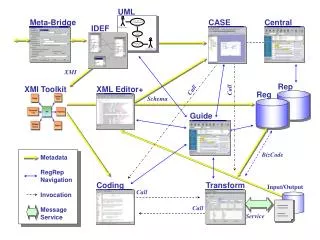
Storyboarding • Drawing of forms • functions on each form • Arrows pointing to other forms • icons can determine which objects allow user interaction • buttons, drop-down lists (list box, combo box) check or radio buttons, text box or other text entry box, tabbed forms, tree listings, etc… • allows for rapid development of the form • consistency • preview of users’ experience and usability • Visual tool depicting the “WHAT” to be done, not the “HOW” • Develop a hierarchical picture of form flow (and function flow) • if a ‘called form’ pointed to by a calling form should not allow backward transferal (unless it’s closed) to another form, then it should be “Modal”
Data • The database for the application is currently maintained in an MS-Access 2003 database • tables are already developed • personnel table is “MOS” (member of the service) • linked tables • Ranks • Cmds