
SlideServe
Menu
Préférences
© SlideServe · v2026

Java Primitive Data Types and Constants Guide

coxb avatar
9 diapositives · 234 Views · Jan 08, 2020

Beginner's guide to Java primitive types, naming constants, arithmetic operators, logical operators, operator precedence, casting, and using the Math class for common mathematical functions. Includes examples and best practices.
Java Primitive Data Types and Constants Guide - slide 1
01 / 9Java Primitive Data Types and Constants Guide
1 / 17

Télécharger la présentation

Java Primitive Data Types and Constants Guide
Une image / un lien ci-dessous est fourni (tel quel) pour télécharger la présentation

Politique de téléchargement : le contenu du site vous est fourni TEL QUEL pour votre information et votre usage personnel ; il ne peut être vendu, concédé sous licence ni partagé sur d’autres sites sans l’accord de son auteur.Le contenu vous est fourni TEL QUEL, pour votre information et votre usage personnel uniquement. Téléchargez la présentation en cliquant sur ce lien. Lors du téléchargement, si vous ne parvenez pas à télécharger une présentation, l’éditeur a peut-être supprimé le fichier de son serveur.Pendant le téléchargement, si vous ne parvenez pas à obtenir une présentation, le fichier a peut-être été supprimé par l’éditeur.

F I N

Plus de contenu associé

Transcription de la présentation
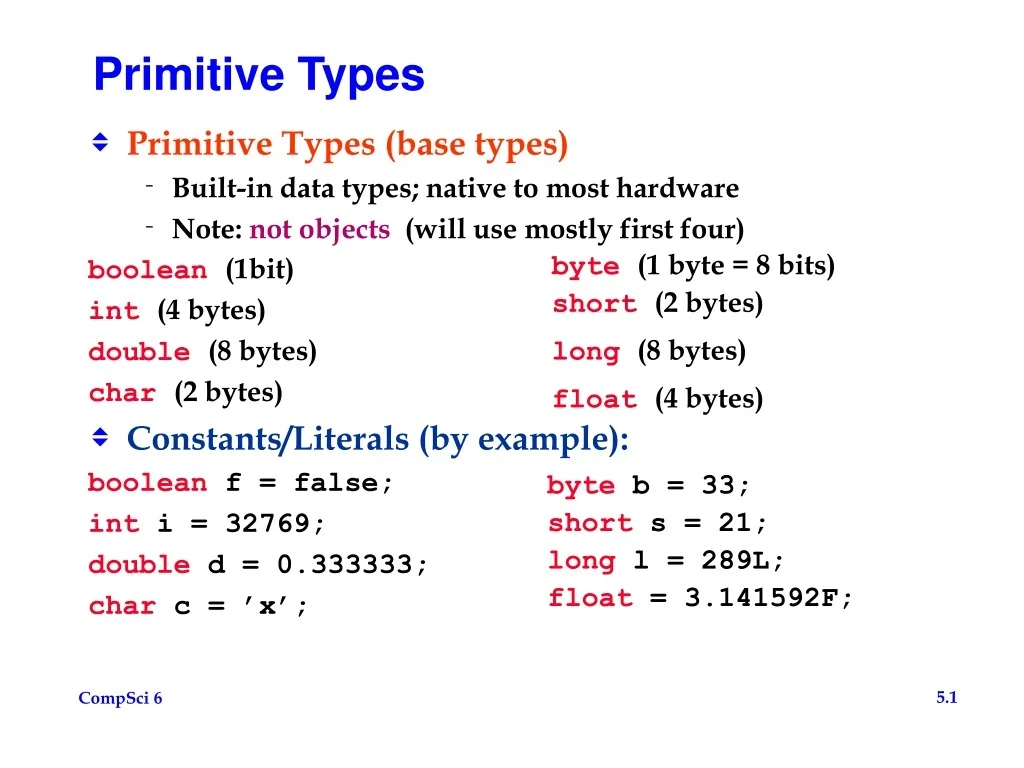
  1. Primitive Types • Primitive Types (base types) • Built-in data types; native to most hardware • Note: not objects (will use mostly first four) boolean (1bit) int (4 bytes) double (8 bytes) char (2 bytes) • Constants/Literals (by example): boolean f = false; int i = 32769; double d = 0.333333; char c = ’x’; byte (1 byte = 8 bits) short (2 bytes) long (8 bytes) float (4 bytes) byte b = 33; short s = 21; long l = 289L; float = 3.141592F;

  2. Named Constants • Probably should name most constants • Should have no “Magic Numbers” in program • By convention, use all caps in the identifier • Use the final keyword • Keeps you from accidentally changing value; final boolean CORRECT = true; final int SQUAD_SIZE = 12; final double MIN_GPA = 2.5; final char FAIL = ’F’; final String AUTHOR = ”Dietolf Ramm”; • Note Constants provided by Java: (from API) Math.PI, Math.E, Integer.MAX_VALUE

  3. Arithmetic Operators • Arithmetic • +, -, *, /, % (remainder or mod) • Increment/Decrement • e.g., k++, k-- , ++k, --k • Logical (results in boolean value) • <, <=, ==, !=, >=, > • Used only for numbers except == and != • For boolean only: !, &&, || • String Concatenation • “I’m “ + 19 + “ years old and live in “ + city • Assignment • variable = expression • variable op= expression • ( shorthand for: variable = variable op expression )

  4. Operators • Arithmetic • +, -, *, /, % (remainder or mod) • Work for both integers and reals • Except watch / and % for integers • What is 13/5 ? 13%5 ? 3/5 ? 3%5 ? • Increment/Decrement • e.g., k++, k–- • Written as k++; not k = k++; !! • Can write code like k = 3 * p++ - m / 5; • Usually not a good idea: confuses. Use a separate line for increment of p.

  5. Operator Precedence • Determines order of operation • For arithmetic, matches grammar school learning • multiplication and division before addition and subtraction • what is the value of 4.0 + 5.0 / 9.0 * 27.0 ? • (what is the value for the integer version?) • Parentheses override precedence rules (and don’t do harm when not needed) • For equal precedence (e.g., * and /) work strictly left to right except for assignment and prefix operations which work right to left • Some of the operators, grouped from high to low: ++ --, * / %, + -, < <= > >=, == !=, &&, ||, = op=

  6. Operators • Combining Assignment and Arithmetic • variable op= expression • ( shorthand for: variable = variable op expression ) • Thus the following lines contain equivalent statements k = k – 1; k -= 1; k--; q = q * r; q *= r; s = s / 2; s /= 2;

  7. Assignment • (Familiar by now) x = 13.3; k = k + 7; area = 2.0 * Math.PI * radius * radius; • Vocalize as “gets” or “becomes” • Don’t use “equals”: Not Equality • Casting: (type) int k = 3; double t; t = k; // OK, No information lost int m; double s = 3.5; m = s; // ILLEGAL, information lost (accidentally?) m = (int) s; // OK, information lost – intent shown

  8. Casting • Implicit Casting • Types on two sides of operator differ (int and double) or (double and int) • Promotes calculation double • Can cascade down the expression • Compare the following two lines; tempC = 5 / 9 * (tempF + 40) – 40; tempF = 9.0 / 5 * (tempC + 40) – 40; • Try for 212OF or 100OC

  9. The Math class • Contains useful static methods • static means the method does not operate on an object • Use class name (Math) rather than object name when using the dot operator. • Contains common math functions • Look up Math class in Java API • Use of some common methods double x = Math.sqrt(y) * Math.cos(theta); long j = Math.round(3.8 * Math.pow(h, n));