
Accessing Student Accounts: Step-by-Step Guide

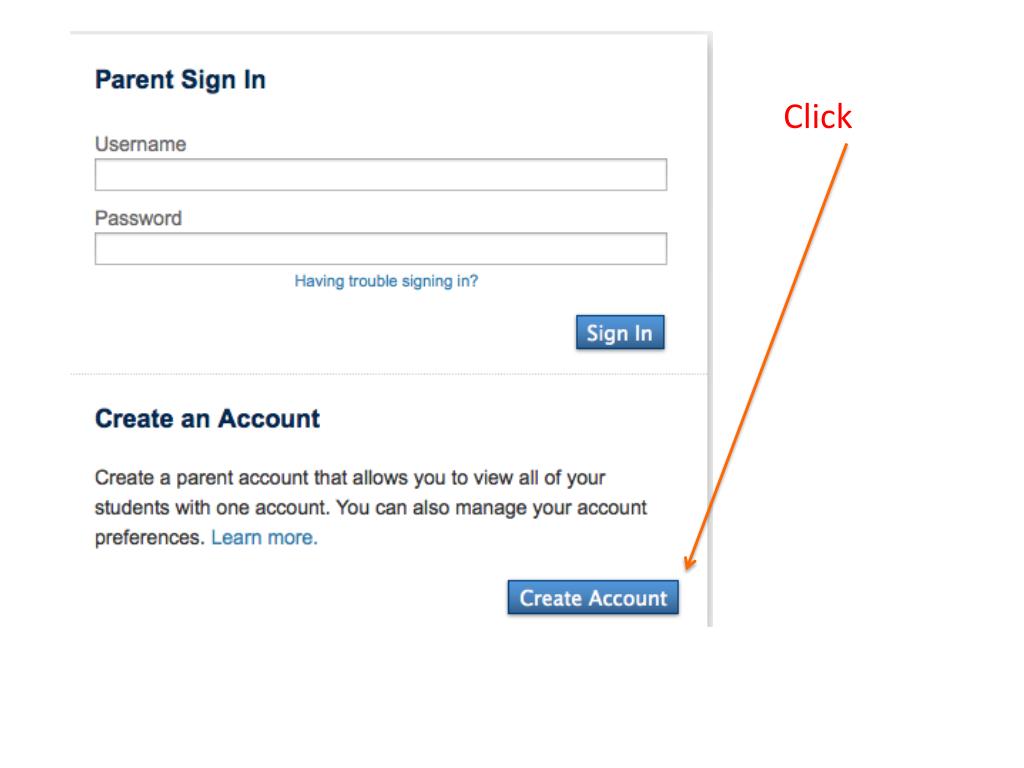
To access your student accounts, click to fill in the required fields using the first and last name that matches the parent ID provided in your letter. If you have multiple students, you can enter all of their details with one password. Ensure your passwords are correct to avoid error notices. Once entered, you'll see the strength of your password. Choose the option that best describes your relationship to the student. For assistance, contact the CEO office at 414-873-4014, and Judy or Michelle will guide you through the process.
Télécharger la présentation 
Politique de téléchargement : le contenu du site vous est fourni TEL QUEL pour votre information et votre usage personnel ; il ne peut être vendu, concédé sous licence ni partagé sur d’autres sites sans l’accord de son auteur.Le contenu vous est fourni TEL QUEL, pour votre information et votre usage personnel uniquement. Téléchargez la présentation en cliquant sur ce lien. Lors du téléchargement, si vous ne parvenez pas à télécharger une présentation, l’éditeur a peut-être supprimé le fichier de son serveur.Pendant le téléchargement, si vous ne parvenez pas à obtenir une présentation, le fichier a peut-être été supprimé par l’éditeur.
F I N