Download

1 / 40
410 likes | 533 Vues
CISTECH's Electronic Requisition (E-Req) system, led by Senior Consultant Denise Luther, offers managers real-time notification and electronic approvals, streamlining the requisition process. Automatic routing of purchase requests via email keeps both requesters and buyers informed on approval status, significantly reducing cycle times and paperwork costs. Enhanced communication improves visibility into requisition and purchase order approval status, decreasing expediting costs and increasing uptime for direct materials and machine parts. Customization options ensure tailored limits for requestors and approvers.

E N D
CISTECH Electronic Requisition Approval Denise Luther Senior Consultant, Technical Services
E-Req Benefits • Provides managers with real-time requisition notification and electronic approvals. • Automatic routing of purchase requests to managers via e-mail while communicating the approval status to the requester and the buyer.
E-Req Benefits • Improves the timeliness, accuracy, and efficiency of communications between requesters, buyers and managers, which results in: • Shorter cycle time in requisition approval process Reduced paperwork and administration costs • Improved visibility of Requisition/PO approval status
E-Req Benefits • Improves the timeliness, accuracy, and efficiency of communications between requesters, buyers and managers, which results in: • Decreased expediting costs due to delays in approvals • Improved uptime through visibility of direct material and/or machine part approval
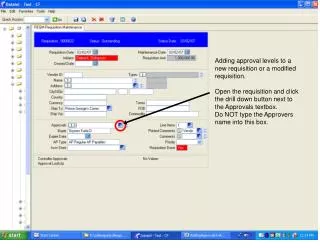
E-Req in the IDF Customize These
E-Req in the IDF Customize XA Customize These
Requestor/Approvers • Set Limits by Type • Inventory, Non-Inventory and Capital Projects
Requestor/Approvers Requestor BOYERJ Limits and Approver
Requestor/Approvers Requestor LUTHERD Limits and Approver
Requestor/Approvers Requestor MCCORMICKB Limits – Catch All
Watchers Receive authorization notification for Dept (Unit) Range
E-Req Any questions before proceeding to technical setup?
Integrator Setup • Requisition object • Customize attributes • userFieldText40 Approving users • Custom Logic edit – Requestor must be in Approver file • userFieldDate 1 Approving Date • Custom Logic edit – Not maintainable from client • userFieldSwitchA Requisition status • Custom Logic Status codes must be used in order • Discrete Domain
Attributes • Reference Capital Project Number • If not blank, authorization process will use the limit for capital projects for the requestor • Required entry attributes • Unit • Nature • Extended Amount
User Exit Code • User exit code • N program – Edit Buffer • Custom Logic edits • O program – Process Buffer • Logic to Approve, Authorize; Email delivery • Check Requisitioner’s Limits by Type • If Authorization Limit high enough, • Set status to Authorize to Buy • Set Authorized User ID • Deliver authorized email to watchers
User Exit Code • O program – Process Buffer • Check Requisitioner’s Limits by Type • If Authorization Limit is NOT high enough, • Set status to Approved, not authorized • Deliver request for authorization email to approver • Set approval user id to Requester/Approver
T.O. user exit logic • User exit code • O program – Process Buffer • Approval selection, Same logic to check authorization limit • Update attributes • Email notification • Reject selection will only update attributes • No email notify
Approve/Reject Outside XA • This solution uses a CGI program to run the approve/reject logic outside of PowerLink from the Email • CGI program contains approve/reject logic, provides immediate communication when user is not near their desktop
Questions??? Thank You Denise.Luther@cistech.net