
Uploaded by
cruz
12 SLIDES
228 VUES
120LIKES
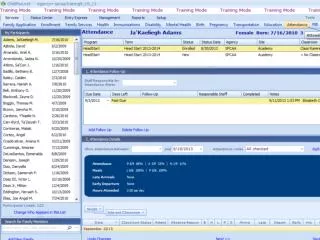
Go to Attendance Module
DESCRIPTION
This module provides a step-by-step process for handling attendance follow-ups for students who were absent. If a child is marked as absent, you need to select "Past Due Hit" and add follow-up notes by selecting "Attendance Notes." Document the date you contacted the parent and summarize their response in the notes section. After inputting these notes, you can return to "Attendance Notes" and select the completion date. The system, Child Plus, will automatically update the status to "complete" once the follow-up is recorded.
Download
1 / 12
Télécharger la présentation 
Go to Attendance Module
An Image/Link below is provided (as is) to download presentation
Download Policy: Content on the Website is provided to you AS IS for your information and personal use and may not be sold / licensed / shared on other websites without getting consent from its author.
Content is provided to you AS IS for your information and personal use only.
Download presentation by click this link.
While downloading, if for some reason you are not able to download a presentation, the publisher may have deleted the file from their server.
During download, if you can't get a presentation, the file might be deleted by the publisher.
E N D












More Related