So you have a SMART board….
160 likes | 289 Vues
Discover how to effectively utilize SMART boards to enhance classroom engagement and learning. This guide covers embedding multimedia, including videos and music, to create dynamic presentations. Learn to convert YouTube videos for offline use, minimizing transition time and technology dependencies. Explore interactive student presentations, collaborative group work, and innovative learning station ideas to foster participation. Engage the entire class with virtual field trips, brainstorming sessions, and interactive activities to create an enriching educational environment.


So you have a SMART board….
E N D
Presentation Transcript
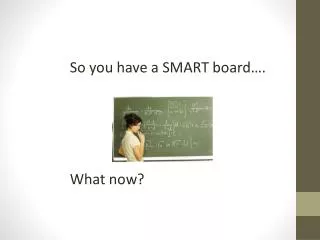
So you have a SMART board…. What now?
Embed Multimedia • Interactive whiteboards can embed video and play music into presentation alongside text • Andrew Jackson Unit- Johnny Horton's "Battle of New Orleans"
Reduce Transition Time • With Zamzar, teachers can convert videos from YouTube to play without an internet connection • Eliminates need for extraneous hardware • Eliminates students idly waiting for video to start
Student presentations • Have students present group projects on the SMART Board. • Familiarize students with features they may want to incorporate.
Learning station • Increase student access by having small groups work with it one at a time. • SMART board allows for whole small group to participate. • Station ideas -interactive module -virtual field trip
Whole-class interaction • Bell ringers • Virtual field trips • Brainstorming and web activities • Screen capture