Creating a Synthetic Travel Demand Scenario for Zurich Using MATSim Tools
This lesson focuses on the development of a synthetic travel demand scenario for Switzerland, specifically targeting Zurich. Participants will learn about the processes involved in generating initial demand, planning transport networks, and creating agents using MATSim's API. Key components include analyzing population data from Swiss census and assessing travel behavior through national surveys. The course will cover the preparation of a planning network, establishment of activity locations, and validation techniques, offering insights into the complex dynamics of transport simulation.

Creating a Synthetic Travel Demand Scenario for Zurich Using MATSim Tools
E N D
Presentation Transcript
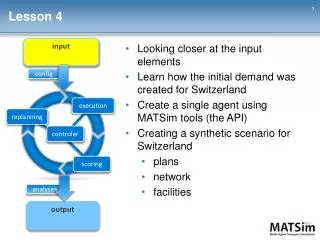
Lesson 4 input 1 • Looking closer at the input elements • Learn how the initial demand was created for Switzerland • Create a single agent using MATSim tools (the API) • Creating a synthetic scenario for Switzerland • plans • network • facilities config execution replanning controler scoring analyses output
The Zurich Scenario 3 • 1.3 Mio agents • Planning network • Motorized individual transport & pt simulation
A New Bypass Around Zurich • Assessment of accompanying measures (traffic signals etc.) • => Creation of Switzerland scenario -> cutting out Zurich scenario
Why Do I Show You This? 5 • Population and initial demand generation • very important component • very time intensive • similar procedures for different study regions • get a feeling of what is needed
The Network 6 • Planning networks and navigation networks • OpenStreetMap • Cleaning tools: org.matsim.core.network.algorithms.*
The Population 7 • Swiss census of population (total population survey ~7.5 Mio.) • Socio-demographics • Home (hectare) and work location (municipality) • or ... population synthesizers if you only have the marginal distributions
The Travel Demand 8 • Swiss national travel survey (sample n = 30’000) • Complete day chains • Activities, durations, modes, … • Population + travel demand = MATSim plans
The Activity Locations (Facilities) 9 • Swiss Business census => work, shop, leisure, education activities • Swiss census (or any dwelling register) => home locations • Manual data collection: opening hours • can be specified individually in the facilities file
The Count Data for Validation Lesson 5