Overview of ImageCast Voting System and Ballot Marking Device Specifications
The ImageCast Voting System, utilized by the Sequoia Voting Systems, features an innovative Ballot Marking Device (BMD) designed to produce a human-readable paper ballot through an accessible electronic interface. Complying with ADA requirements of HAVA, the BMD offers various interaction methods such as audio, sip & puff, and more. Each county requires one BMD per polling place, ensuring all ballots are audibly verified before counting. Additionally, the system includes an adjustable LCD display, audio-tactile interface, and functionality for voters to spoil or approve their ballots, enhancing accessibility and security in the voting process.

Overview of ImageCast Voting System and Ballot Marking Device Specifications
E N D
Presentation Transcript
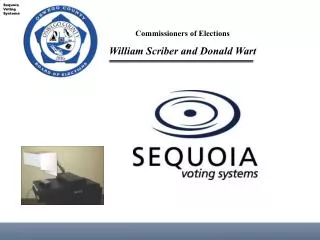
Sequoia Voting Systems Commissioners of Elections William Scriber and Donald Wart
System Orientation and Overview ImageCast Voting System and Ballot Marking Device
Ballot Marking Device The ImageCast voting system includes a Ballot Marking device (BMD) • A device used to create a human-readable voted paper ballot through an electronic interface • The interface must comply with the ADA requirements of HAVA. • In other words, the system must produce a paper ballot through an audio, sip & puff, etc. interface that reflects the voter’s selections.
General Requirements • One BMD per Polling Place in each County • BMD must have a display screen that matches the paper ballot • BMD must produce a human and machine readable ballot • All tabulation functionality must be disabled—all ballots hand tabulated
Dominion ImageCast Voting System Privacy Panel LCD Display Screen Adjustable Swivel Arm Ballot Printer ImageCast Precinct Tabulator Audio-Tactile Interface (ATI) Ballot Marker Table Ballot Box
ImageCast Physical Overview • Stand-alone System • LCD Display Screen • Audio-Tactile Interface • Ballot Printer • Precinct Counter/Tabulator • Ballot Box and Compartments BMD
BMD Audio Tactile Interface (ATI) • ATI and headphones • Additional Interfaces • Sip and Puff • Rocker Paddle
Using the ImageCast Counter • BMD-printed ballot is inserted into Counter • Voter’s choices may be read back • Voter may “spoil” a ballot • Voter may receive warnings • Undervote • Blank Ballot • Voter approves and casts ballot • Ballot is counted* *ImageCast Public Counter increments by 1