Livescribe SmartPen
Renee Rinkenberg Margaret Rowlands. Livescribe SmartPen. Description.

Livescribe SmartPen
E N D
Presentation Transcript
Renee Rinkenberg Margaret Rowlands LivescribeSmartPen
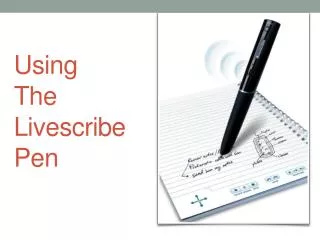
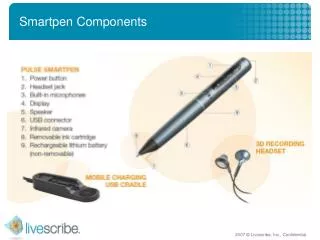
Description • “Livescribe’s Pulse™ smartpen is an intuitive, pen and paper solution that captures everything students write and hear in the classroom, and enables easy, on–demand access to that information, giving all students a simple and more effective way to receive, review, and retain what they’ve learned in class.” • (Livescribe Inc., 2009)
Video • http://www.livescribe.com/smartpen/videos.html
Possible Uses • Pencasts • Record your lessons and post on website so that students can review what you said/wrote. • http://math247.pbworks.com/Mathcasts+-+Pencasts+-+LiveScribe+SmartPen • Students can record what the teacher says while taking notes. This way they can review the lesson later. • http://www.youtube.com/watch?v=7-3UIKkklNQ • Record student conversations as they work on problems. Teachers can later review what was said while looking at their work.
Calculator • The calculator (inside notebook) performs basic math functions and scientific functions. To use the calculator, tap on the printed keys with the tip of the Smartpen (Livescribe Inc., 2009).
Calculator • Using Basic Math Operators • Basic math operators function like a typical desk calculator. Tap a number, an operator, another number, and an equal sign to see the answer displayed.
Other Facts • Price: $199.95 • Notebooks: Around $20.00 • You can print your own Dot Paper for free • Memory: 4GB (holds over 400 hours of audio) • 500 MB online storage • Available at Best Buy, Target, Apple Store, Amazon.com, and Staples. • (Livescribe Inc., 2009).
References • Livescribe Inc. (2009). Livescribe Education. Retrieved December 1, 2009, from Livescribe: http://www.livescribe.com/education/i ndex.html • Livescribe Inc. (2009). Livescribe Education. Retrieved December 1, 2009, from Livescribe: http://www.livescribe.com/store/2007 0723002/c-107.htm