Understanding Operators, Identifiers, and Data Types in Visual Basic
This comprehensive guide covers the fundamental aspects of Visual Basic programming, including arithmetic operators, identifiers, and data types. Learn about various operations like exponentiation, multiplication, and division, as well as the distinction between constants and variables. Gain insights into identifier naming conventions, variable scope (local and global), and explore integer data types such as Short, Integer, and Long, along with their storage and ranges. Understand the importance of declaring data types for efficient memory allocation in your VB applications.

Understanding Operators, Identifiers, and Data Types in Visual Basic
E N D
Presentation Transcript
Operators & Identifiers The Data Elements
exponentiation multiplication division (real) division (integer quotient) division (integer remainder) addition Subtraction assignment ^ * / \ Mod + - = Arithmetic Operators
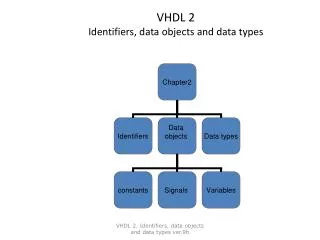
Identifiers • An identifier is a string used to identify an area in memory. • Typically, variable names need to be declared so the operating system can allocate sufficient space. • The amount of memory is determined by the type of data that it will store.
Identifiers There are two types of identifiers for scalar data: • Constants • Variables
Constants A constant is a name for a fixed value. The value of a constant cannot be changed. They must be declared and initialised in the same step: Const g As Decimal = 9.8
Constants Note that the type declaration can be omitted for brevity. Const g = 9.8 VB will use the data to determine type.
Identifier Names in VB • Must begin with a letter • Can include letters and numerals • Cannot include spaces • Use names that are descriptive • Capitalising convention • InterestRate, InitialCapital
The Scope of Variables • Local (procedure-level) • Declared within a subprogram • Dim varName As dataType • Global (module-level) • Declared at the top of the code listing • Private varName As dataType
Short type (low-order byte) 27 26 25 24 23 22 21 20 128 64 32 16 8 4 2 1 1 1 1 1 1 1 1 1 128 +64 +32 +16 +8 +4 + 2 + 1 =255
Short type (high-order byte) 215 214 213 212 211 210 29 28 32768 16384 8192 4096 2048 1024 512 256 1 1 1 1 1 1 1 1 32768+16384 +8192 +4096 +2048 +1024 +512 +256 =65280 +255 65535 The largest Unsigned value that can be stored in 16 bits. How many patterns are there?
Short Type • To store integers, half the combinations are used to represent negative values. • The range for Integer type variables is: -32,768 to +32767 • The MSB is used to represent the sign. • Which value of the sign bit (0 or 1) will represent a negative number?
Integer Storage (4 bytes) • High order bit (MSB) is worth 231 • The number of different combinations • 232 • 4,294,967,296 • Half are used for negative values, so the range is • 2,147,483,648 to + 2,147,483,647
Long Integers • In 8 bytes there are 64 bits! • High order bit (MSB) is worth 263. • The number of different combinations • 264 • 18,446,744,073,709,650,616 • Ranging from -9,223,382,036,854,775,808to 9,223,382,036,854,775,807