Download
1 / 7
70 likes | 174 Vues
Reliable and high-performance file transfer made easy with Globus Online. Features automatic fault recovery, no IT required, and works with existing GridFTP servers. Users praise its simplicity and efficiency. Globus Connect solves the "last mile problem."

E N D
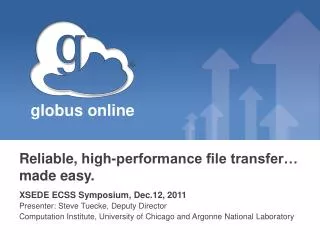
Reliable, high-performance file transfer… made easy. XSEDE ECSS Symposium, Dec.12, 2011 Presenter: Steve Tuecke, Deputy Director Computation Institute, University of Chicago and Argonne National Laboratory
The Challenge: Moving Big Data Easily • What should be trivial… “I need my data over there – at my _____” ( supercomputing center, campus server, etc.) Data Source Data Destination • … can be painfully tedious and time-consuming “GAAAH!%&@#&” ! Config issues Data Source Data Destination ! Firewall issues ! Unexpected failure = manual retry
What is Globus Online? • Reliable file transfer. • Easy “fire-and-forget” transfers • Automatic fault recovery • High performance • Across multiple security domains • No IT required. • Software as a Service (SaaS) • No client software installation • New features automatically available • Consolidated support & troubleshooting • Works with existing GridFTP servers • Globus Connect solves “last mile problem” • Supports XSEDE, NERSC, ESnet, UCLA, U Michigan, U Miami, U Colorado, U Washington, Indiana U, …
What they’re saying… From Researchers • “20 minutes instead of 61 hours – amazing! Thank you for developing this tool and making it available for XSEDE users.” • Atmospheric research scientist, University of Miami • “I moved terabytes of data between Kraken and XSEDE in hours, compared to the days if not weeks it would have taken! • Fluid dynamics researcher, Cornell University • “GlobusOnline frees up my time to do more creative work than typing scp commands or devising scripts to move files.” • QCD Physicist, Indiana University "We have been using Globus Online to move tens of terabytes of data among XSEDE resources.” -- University of Washington user “The service is reliable and easy to use, and I look forward to continuing to use it with XSEDE.” -- NCSA user • “We moved 22TB in a few days and got great rates.” • Argonne National Lab Move data faster. Save time and effort. Be more productive. • “We’ve never seen such high transfer rates, and the service was trivial to install and use.” • IT Chief Engineer, Los Alamos National Lab • “It just makes sense to enable this for our users. With Globus Online we can offer a much simpler and faster method for moving data.” • Software Group Leader, NERSC • “GridFTPhas become a critical service for us, practically overnight. Globus Online is an awesome tool.” • Senior HPC Analyst, University of Colorado From Resource Providers
NEW!Globus Connect Multi-User • What is GCMU? • Globus Connect version for easily creating shared endpoints • Packages a GridFTPserver and MyProxyCA authentication server, pre-configured for use with Globus Online • Why GCMU? • Create transfer endpoints in minutes • Avoid complex GridFTP install • To download: https://www.globusonline.org/gcmu/ “We used GCMU to form a campus-wide GSI authentication service spanning multiple servers. Now my users have a fast, easy way to get their data wherever it needs to go, and the setup process was trivial." --University of Michigan “As a resource admin, I've found GCMU an exceedingly useful tool.... With GCMU, setting up a GridFTP server and handling authentication for multiple users is easy." --Oak Ridge National Lab
For More Information • COMING SOON: Globus Online Partner Program • For resource owners at campuses and other computing facilities • Includes tools and services for managing shared resources • Benefits include: • Improved transfer performance • Priority support • Proactive issue notifications • Tools for real-time activity monitoring • Access to key usage metrics • Visithttps://www.globusonline.org/signupto: • Get a free account and start moving files • Visitwww.globusonline.orgfor: • Tutorials, FAQs, Pro Tips, Troubleshooting • Papers • Case Studies • Contactsupport@globusonline.org for: • Help getting started • Help using the service • Follow us at @globusonlineon Twitterand Globus Online on Facebook