The Internet
The Internet is a vast collection of networks interlinking millions of users worldwide, including businesses, government bodies, educational institutions, and individuals. Originating as ARPANET in 1969, it has evolved over the decades to support various technologies and standards. Entities are responsible for maintaining their own networks while organizations like the W3C oversee web standards. Key components include IP addresses, domain names, web pages, and browsers, enabling users to access and interact with information efficiently. Understanding this ecosystem is essential for navigating today's digital landscape.

The Internet
E N D
Presentation Transcript
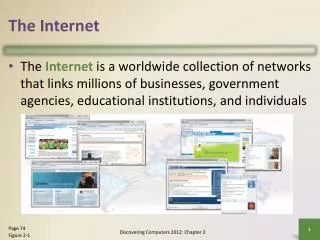
The Internet • The Internet is a worldwide collection of networks that links millions of businesses, government agencies, educational institutions, and individuals Discovering Computers 2012: Chapter 2 Page 74 Figure 2-1
Evolution of the Internet • The Internet originated as ARPANET in September 1969 and had two main goals: Discovering Computers 2012: Chapter 2 Page 75
Evolution of the Internet Discovering Computers 2012: Chapter 2 Pages 75 - 76
Evolution of the Internet • Each organization is responsible only for maintaining its own network • The World Wide Web Consortium (W3C) oversees research and sets guidelines and standards • Internet2 connects more than 200 universities and 115 companies via a high-speed private network Discovering Computers 2012: Chapter 2 Page 76
Evolution of the Internet • Many home and small business users connect to the Internet via high-speed broadband Internet service Discovering Computers 2012: Chapter 2 Page 76
Evolution of the Internet • An access provideris a business that provides individuals and organizations access to the Internet free or for a fee Discovering Computers 2012: Chapter 2 Page 77 Figure 2-2
Evolution of the Internet Discovering Computers 2012: Chapter 2 Page 78
Evolution of the Internet Discovering Computers 2012: Chapter 2 Page 79 Figure 2-3
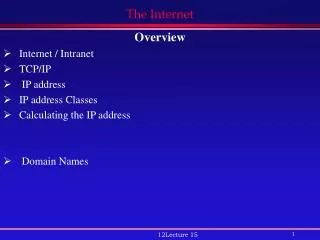
Evolution of the Internet • An IP addressis a number that uniquely identifies each computer or device connected to the Internet • A domain nameis the text version of an IP address • Top-level domain (TLD) • A DNS servertranslates the domain name into its associated IP address Discovering Computers 2012: Chapter 2 Pages 79 – 80 Figure 2-4
Evolution of the Internet Discovering Computers 2012: Chapter 2 Page 80 Figure 2-5
The World Wide Web • The World Wide Web, or Web, consists of a worldwide collection of electronic documents (Web pages) • A Web siteis a collection of related Web pages and associated items • A Web serveris a computer that delivers requested Web pages to your computer • Web 2.0refers to Web sites that provide a means for users to interact Discovering Computers 2012: Chapter 2 Pages 80 - 81
The World Wide Web • A Web browser, or browser, allows users to access Web pages and Web 2.0 programs Discovering Computers 2012: Chapter 2 Page 81
The World Wide Web Discovering Computers 2012: Chapter 2 Page 81 Figure 2-6
The World Wide Web • A Web page has a unique address called a URL or Web address Discovering Computers 2012: Chapter 2 Pages 82 – 83 Figure 2-8
The World Wide Web • Two types of search tools are search engines and subject directories Discovering Computers 2012: Chapter 2 Page 85
The World Wide Web Discovering Computers 2012: Chapter 2 Page 85 Figure 2-10
The World Wide Web • A search engine is helpful in locating items such as: Discovering Computers 2012: Chapter 2 Page 85
The World Wide Web Discovering Computers 2012: Chapter 2 Page 86 Figure 2-11
The World Wide Web • Search operators can help to refine your search Discovering Computers 2012: Chapter 2 Page 87 Figure 2-13
The World Wide Web • There are thirteen types of Web sites Discovering Computers 2012: Chapter 2 Pages 88 – 91 Figure 2-15
The World Wide Web Discovering Computers 2012: Chapter 2 Pages 91 – 92 Figure 2-15
The World Wide Web • Information presented on the Web must be evaluated for accuracy • No one oversees the content of Web pages Page 92 Figure 2-16 Discovering Computers 2012: Chapter 2
The World Wide Web • Multimedia refers to any application that combines text with: Discovering Computers 2012: Chapter 2 Page 92
The World Wide Web • A graphic is a digital representation of nontext information • Graphic formats include BMP, GIF, JPEG, PNG, and TIFF Page 93 Figure 2-17 Discovering Computers 2012: Chapter 2
The World Wide Web • A thumbnail is a small version of a larger graphic Page 94 Figure 2-19 Discovering Computers 2012: Chapter 2
The World Wide Web • Animation is the appearance of motion created by displaying a series of still images in sequence Discovering Computers 2012: Chapter 2 Page 94
The World Wide Web • Audio includes music, speech, or any other sound • Compressed to reduce file size • You listen to audio on your computer using a player • Streaming is the process of transferring data in a continuous and even flow Discovering Computers 2012: Chapter 2 Pages 94 – 95 Figure 2-20
The World Wide Web Discovering Computers 2012: Chapter 2 Page 95 Figure 2-21
The World Wide Web • Video consists of images displayed in motion Discovering Computers 2012: Chapter 2 Page 96 Figure 2-22
The World Wide Web • Virtual reality(VR) is the use of computers to simulate a real or imagined environment that appears as a three-dimensional space Discovering Computers 2012: Chapter 2 Pages 96 – 97 Figure 2-23
The World Wide Web • A plug-in is a program that extends the capability of a Web browser Discovering Computers 2012: Chapter 2 Page 97 Figure 2-24
The World Wide Web • Web publishingis the development and maintenance of Web pages Discovering Computers 2012: Chapter 2 Page 98
E-Commerce • E-commerce is a business transaction that occurs over an electronic network • M-commerceidentifies e-commerce that takes place using mobile devices Discovering Computers 2012: Chapter 2 Page 98
E-Commerce Discovering Computers 2012: Chapter 2 Pages 98 - 99
E-Commerce Discovering Computers 2012: Chapter 2 Page 99 Figure 2-25
Other Internet Services • E-mailis the transmission of messages and files via a computer network • An e-mail programallows you to create, send, receive, forward, store, print, and delete e-mail messages Page 101 Figure 2-26 Discovering Computers 2012: Chapter 2
Other Internet Services Discovering Computers 2012: Chapter 2 Page 102 Figure 2-27
Other Internet Services • A mailing listis a group of e-mail names and addresses given a single name • Subscribing adds your e-mail name and address • Unsubscribing removes your name Discovering Computers 2012: Chapter 2 Page 103 Figure 2-28
Other Internet Services • Instant messaging (IM) is a real-time Internet communications service Discovering Computers 2012: Chapter 2 Page 104 Figure 2-29
Other Internet Services • A chat is a real-time typed conversation that takes place on a computer • A chat roomis a location on an Internet server that permits users to chat with each other Page 105 Figure 2-30 Discovering Computers 2012: Chapter 2
Other Internet Services • VoIP (Voice over IP) enables users to speak to other users over the Internet • Also called Internet telephony Page 106 Figure 2-31 Discovering Computers 2012: Chapter 2
Other Internet Services • A newsgroup is an online area in which users have written discussions about a particular subject • Typically requires a newsreader • A message boardis a Web-based type of discussion group Page 107 Figure 2-32 Discovering Computers 2012: Chapter 2
Other Internet Services • FTP (File Transfer Protocol) is an Internet standard that permits file uploading and downloading with other computers on the Internet • Many operating systems include FTP capabilities • An FTP server is a computer that allows users to upload and/or download files using FTP Discovering Computers 2012: Chapter 2 Page 107
Summary Discovering Computers 2012: Chapter 2 Page 109