Introduction to Control Structures in Programming
Learn about different control structures and their implementation in programming for structured and efficient code execution. Includes sequential, selective, and repetitive control flow structures.

Introduction to Control Structures in Programming
E N D
Presentation Transcript
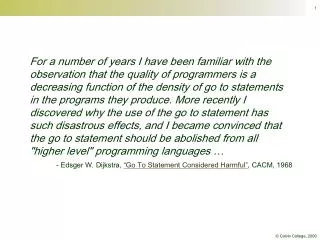
For a number of years I have been familiar with the observation that the quality of programmers is a decreasing function of the density of go to statements in the programs they produce. More recently I discovered why the use of the go to statement has such disastrous effects, and I became convinced that the go to statement should be abolished from all "higher level" programming languages … - Edsger W. Dijkstra, “Go To Statement Considered Harmful”, CACM, 1968
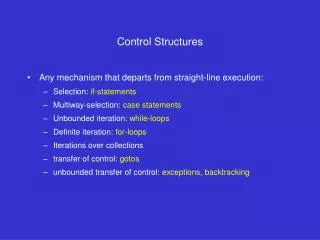
Control Structures • Motivation • Control Structures: • Sequence • Selection • Repetition • Animation and Repetition • Structured Programming
Introduction • Von Neumann architectures execute statements one at a time. • The sequence of this execution is called the control flow of a program. • Control structures specify the nature of this flow.
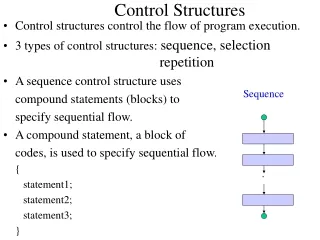
{ statement1 statement2 ... statementN } Sequential Execution • Processing executes blocked statements sequentially: statement1 statement2 statementn
Example: Design (1) • We start with the restricted goal of drawing an ellipse and its center point. • Algorithm: • Data: x, y, diameter, radius • Setup: • Setup 300x300 panel with white background • Initialize x, y, diameter and radius • Draw: • Draw an circle at x, y with diameter. • Draw the center point.
Example: Implementation (1) • Relevant implementation tools: • sequential execution
Example: Testing (1) • The resulting output should show an ellipse with its center point.
final int WIDTH = 300, HEIGHT = WIDTH, ellipseX, ellipseY, ellipseDiameter; void setup() { size(WIDTH, HEIGHT); smooth(); ellipseX = WIDTH / 2; ellipseY = HEIGHT / 2; ellipseDiameter = 100; } void draw() { background(255); strokeWeight(2); ellipse(ellipseX, ellipseY, ellipseDiameter, ellipseDiameter); strokeWeight(5); point(ellipseX, ellipseY); }
if (condition) statement1 Selective Execution • if statements execute their statements selectively, based on a booleancondition:
if (condition) statement Selection: The Simple if The if statement has different forms. The first form is called the simple if: T condition F statement
Iteration 2 • Analysis • Design • Implementation • Test
void mouseClicked() { if (dist(mouseX, mouseY, ellipseX, ellipseY) <= ellipseRadius) { fillColor = color(random(255), random(255), random(255)); } }
T condition F if (condition) statement1 else statement2 statement1 statement2 Selection: The Two-Branch if • The second form of if statement includes an else clause and a second statement:
Iteration 3 • Analysis • Design • Implementation • Test
void mouseClicked() { if (dist(mouseX, mouseY, ellipseX, ellipseY) <= ellipseRadius) { fillColor = color(random(255), random(255), random(255)); } else { backgroundColor = color(random(255), random(255), random(255)); } }
if (Cond1) { Stmts1 } else if (Cond2) { Stmts2 ... } else if (CondN) { StmtsN } else { StmtsN+1 } T F Cond1 T F Stmts1 Cond2 ... Stmts2 T F CondN StmtsN StmtsN+1 Selection: The Multi-branch if The final form nests the if statements:
Iteration 4 • Analysis • Design • Implementation • Test
void mouseClicked() { if (dist(mouseX, mouseY, ellipseX, ellipseY) <= ellipse2Radius){ ellipse2Color = a random color; } else if (dist(mouseX, mouseY, ellipseX, ellipseY) <= ellipseRadius){ ellipseColor = a random color; } else { backgroundColor = a random color; } }
Repetitive Execution • Repetition statements execute their statements repeatedly, usually based on a Boolean condition.
for (initExpr; loopCond; incrExpr) Statement InitExpr F LoopCond T Statement IncrExpr Repetition: The for Loop The counting for statement repeats based on a counter.
for (intcount=first; count <= last; count++) Statement Repetition: The Counting Loop The for statement is normally used to count things. Example: for (inti = 1; i <= 5; i++) { println(i); }
Iteration 5 • Analysis • Design • Implementation • Test
final int COUNT = 13; void setup() { size(500, 250); noLoop(); } void draw() { for (inti = 0; i < COUNT; i++) { rect(0, i * height/COUNT, width - 1, height/COUNT); } }
Iteration 6 • Analysis • Design • Implementation • Test
void draw() { for (inti = 0; i < COUNT; i++) { if (i % 2 == 0) { fill(191, 10, 48); } else { fill(255); } rect(0, i * height/COUNT, width-1, height/COUNT); } }
for (initExpr1; loopCond1; incrExpr1) for (initExpr2; loopCond2; incrExpr2) Statement Repetition: Nested for Loops Loops can be nested as well. InitExpr1 F LoopCond1 T InitExpr2 F LoopCond2 T Statement IncrExpr2 IncrExpr1
Iteration 7 • Analysis • Design • Implementation • Test
fill(0,40,104); rect(0, 0, 190, 134); stroke(255); strokeWeight(5); for (int row = 0; row < 9; row++ ) { for (int column = 0; column < 11; column++) { if ((row%2==0 && column%2==0) || (row%2!=0 && column%2!=0)) { point(column*190/11 + 10, row*134/9 + 5); } } }
/** * USA draws a properly scaled US flag (see http://en.wikipedia.org/wiki/Usa_flag#Design) * * @author kvlinden * @version 28april2009 */ int unit=250; float height = unit, width = height*1.9; float unionHeight, unionWidth, stripeHeight, starDiameter; PImage star; void setup() { size((int)width,(int)height); background(191,10,48); fill(255); smooth(); noStroke(); noLoop(); unionHeight=height*7/13; unionWidth=width*2/5; stripeHeight=height/13; starDiameter=height*0.0616; star = loadImage("whiteStar100.gif"); imageMode(CENTER); } Continued
void draw() { // Draw stripes. for (inti=1; i<13; i+=2) { rect(0,i*(int)stripeHeight, (int)width,(int)stripeHeight); } // Draw stars. fill(0,40,104); rect(0,0,(int)unionWidth,(int)unionHeight); for (int row = 1; row <= 9; row++) { for (int column = 1; column <= 11; column++) { // Add a star for odd rows/cols or // even rows/columns. if (((row%2!=0) && (column%2!=0)) || ((row%2==0) && (column%2==0))) { image(star, column*unionWidth/12, row*unionHeight/10, starDiameter, starDiameter); } } } }
Example: Analysis (1) • We’d like to draw regular polygons. • We should be able to: • Set the number of sides; • Approximate the area of the enclosing circle; • Drag the polygon around. • Some sample images are shown here.
Example: Analysis (1) • The program should: • Draw n-gons; • Check the validity of n; • Compute the n-gon’s area.
Animation and Repetition • We have now discussed two forms of repetition in Processing: • Processing implements animation by repeatedly calling the draw()method; • You can program your own repetition using the for statement. • Your program can contain both forms of repetition.
Iteration 8 • Analysis • Design • Implementation • Test
void drawPolygon(int sides) { if (sides < 3) { println("invalid number of sides: " + sides + "\nsimplePolygon exiting"); exit(); } float angle = 360.0 / sides, theta1, theta2; strokeWeight(1); for (inti = 0; i < sides; i = i+1) { theta1 = radians(angle * i); theta2 = radians(angle * (i + 1)); line(polygonX + cos(theta1) * polygonRadius, polygonY + sin(theta1) * polygonRadius, polygonX + cos(theta2) * polygonRadius, polygonY + sin(theta2) * polygonRadius); } }
Iteration 9 • Analysis • Design • Implementation • Test
void setup() { size(width, height); smooth(); numSides = 3; frameRate(4); } void draw() { background(255); strokeWeight(5); point(polygonX, polygonY); drawPolygon(numSides++); }
Iteration 10 • Analysis • Design • Implementation • Test
float drawPolygon(int sides) { // Check the parameter as before. float angle = 360.0 / sides, theta1, theta2; strokeWeight(1); for (inti = 0; i < sides; i = i+1) { theta1 = radians(angle * i); theta2 = radians(angle * (i + 1)); triangle(polygonX, polygonY, polygonX + cos(theta1) * polygonRadius, polygonY + sin(theta1) * polygonRadius, polygonX + cos(theta2) * polygonRadius, polygonY + sin(theta2) * polygonRadius); } // Compute n-gon area. return (sides * polygonRadius * polygonRadius * sin(2 * PI / sides)) / 2.0; }
Iteration 11 • Analysis • Design • Implementation • Test
floatdrawPolygon(int sides) { // repeated code removed here… for (inti = 0; i < sides; i = i+1) { if (i % 2 == 0) { fill(random(255), random(255), random(255)); } else { fill(0); } // Compute thetas as before. triangle(polygonX, polygonY, // 4 points as before… ); } return (sides * polygonRadius * polygonRadius * sin(2 * PI / sides)) / 2.0; }
Out of Control Structures • Unrestricted go-to statements can be used to produce “spaghetti” code: 00 if (condition) then statements A goto 20 endif statements B 10 continue statements C 20 continue statements D 30 if (condition) goto 10
_main: pushl %ebp movl %esp,%ebp subl $24,%esp call ___main movl $0,-4(%ebp) .align 4 Control in Assembly Code L3: cmpl $9,-4(%ebp) jle L6 jmp L4 .align 4 L6: cmpl $4,-4(%ebp) jg L5 L7: L5: incl -4(%ebp) jmp L3 .align 4 L4: xorl %eax,%eax jmp L2 .align 4 L2: movl %ebp,%esp popl %ebp ret int main() { for (inti = 0; i < 10; i++) if (i < 5) ; }
What’s the Big Idea Edsger Dijkstra (1930-2002)Structured Programming • Dijkstra argued that control flow should be structured. • He had opinions on languages as well: • FORTRAN - "the infantile disorder" • PL/I -- "the fatal disease" -- belongs more to the problem set than the solution set. • It is practically impossible to teach good programming to students that have had a prior exposure to BASIC: as potential programmers they are mentally mutilated beyond hope of regeneration. • The use of COBOL cripples the mind; its teaching should, therefore, be regarded as a criminal offense. picture from www.cs.utexas.edu