Accessing Educational Resources Online: A Step-by-Step Guide
130 likes | 243 Vues
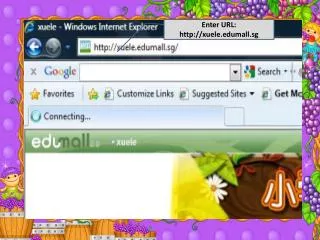
Explore how to navigate educational websites effectively. Start by visiting the primary syllabus page at xuele.edumall.sg, where you’ll find options to select levels, chapters, and interactive features like animations and sound controls. For personalized learning, go to lead.com.sg, log in using your pupil's birth certificate number and the default school ID (MDPS). After logging in, access assignments and other resources seamlessly. This guide will help you make the most out of your online learning experience!


Accessing Educational Resources Online: A Step-by-Step Guide
E N D
Presentation Transcript
Upon entering, you will see this screen. Primary Syllabus
Place the cursor on the “Primary Syllabus”
Back to Main Page Levels Full Screen
Place the cursor on the desired level
Levels Go back to previous page Chapters in Textbook
Paragraph Display Words Display Play Animation Hanyu Pinyin Back to previous page Stop Sound
Login ID: Pupil’s Birth Certificate (BC) number Click on Login to enter Password: (By default) learning School ID: MDPS
Upon entering, you will see this screen. Look at this portion for Assignments