Exam-AID Registration and Revenue Tracking Guide
This guide outlines the procedures for managing Exam-AID registrations and revenue tracking. Ensure you have printed the package codes and the registration list from the SOS volunteer portal. For students purchasing an Exam-AID card, verify their purchase and check off their name accordingly. After the event, input new registrations into the Exam-AID Manager and record the revenue on the portal. Follow these steps to ensure smooth management of Exam-AID transactions in your chapter.

Exam-AID Registration and Revenue Tracking Guide
E N D
Presentation Transcript
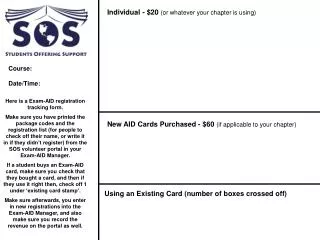
Individual - $20 (or whatever your chapter is using) Course: Date/Time: Here is a Exam-AID registration tracking form. Make sure you have printed the package codes and the registration list (for people to check off their name, or write it in if they didn’t register) from the SOS volunteer portal in your Exam-AID Manager. If a student buys an Exam-AID card, make sure you check that they bought a card, and then if they use it right then, check off 1 under ‘existing card stamp’. Make sure afterwards, you enter in new registrations into the Exam-AID Manager, and also make sure you record the revenue on the portal as well. New AID Cards Purchased - $60 (if applicable to your chapter) Using an Existing Card (number of boxes crossed off)