Download
1 / 79
800 likes | 922 Vues
Discover how Alice programming, developed by Randy Pausch, can ignite excitement in K-12 students about computer science. This presentation covers the motivation behind using Alice to attract diverse learners, the interactive and visual aspects of the programming language, and its effectiveness in teaching key computer science concepts. Learn about real-world examples, practical lesson plans, and course success stories from Duke University. With hands-on experience and support from the National Science Foundation, Alice programming offers an innovative path to inspire future tech leaders.

E N D
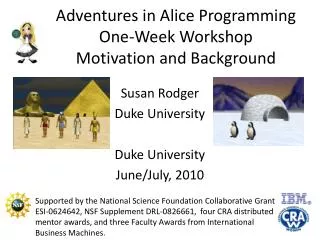
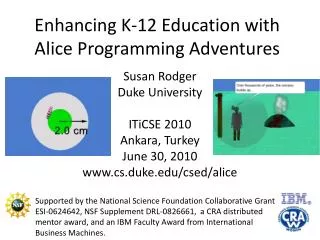
Adventures in Alice Programming Susan Rodger Duke University Haverford College World of Computing Haverford, PA April 19, 2010 www.cs.duke.edu/csed/alice Supported by the National Science Foundation Collaborative Grant ESI-0624642, NSF Supplement DRL-0826661, two CRA distributed mentor awards, and three Faculty Awards from International Business Machines.
Outline • Motivation and background • Introduction to Alice Programming • Alice in Duke Course • Alice Examples and Lesson Plans in K-12 • Usage of Alice by K-12 Students • Summary
Many students don’t know what Computer Science is when they come to college! • Not taught in middle schools and many high schools • What they think it is: • “keyboarding, spread sheets, word processing….” • VERY EXCITING ……… NOT!
If taught, how do we introduce CS? • Write a calculator • Write a banking program • Etc…
Why Can’t the Introduction of Computer Science be exciting? • Programming – it’s always been • Hands-on • Interactive • Frustrating! • What’s missing? • Not Getting Exciting Results • Easily, right away • Too textual-based, including errors • Not appealing to today’s kids in which media and technology are a part of their life!
Bring on Alice Virtual Worlds! • Alice is • Hands-on! • Interactive! • Visual! • Less Error prone • Exciting Results right away! • Alice has the potential to excite kids about computer science in the same way that experiments excite kids about chemistry, physics and biology!
Alice Programming Language • Create interactive stories or games • Learn programming in an easy way, drag-and-drop your code • Problem solving with visual feedback • Logical thinking • Along the way, learn computer science concepts: • Loops, classes, methods, functions, arrays
Alice Developed by Randy Pausch • Carnegie Mellon University • Virtual Reality Researcher • Wrote the Last Lecture • Died of Pancreatic Cancer in 2008
Alice Demo: Kitty Story – children’s book on handicapped child
Alice Programming Language • Has libraries of 3D objects • Keeps Track of objects you select
Object Position • Objects • Are positioned in 3D space • Have six degrees of freedom
Alice Code is Easy to Learn Select Code, Drag-and-Drop code in program
Play Alice Animation • Chicken rises, cow turns head and talks
Versions of Alice • Alice 2.2 • Good for Middle School/High School introduction to programming and for college as intro to programming • Supported, will be around for awhile • Alice 3 • Good for High School / College programming course to lead into a Java course • IN BETA VERSION NOW – still buggy • StoryTelling Alice - Caitlin Kelleher • Written as prototype, not supported • PhD Thesis under Pausch
CompSci 4 – Alice Class at Duke • Full semester course on Alice for non-majors • Lecture for 10-20 minutes • Students work on problem with computers in pairs • Bring students back together
Success - Alice attracts diverse group • At Duke • CompSci 4 Spring 2005 • 22 preregister, 30 enroll (12 female + 3 African Amer.) • CompSci 4 Fall 2005 • 20 preregister, 31 enroll (17 female – 1 African Amer.) • CompSci 4 Fall 2006 – 2 sections • 64 students, 33 female, 7 African Amer. • CompSci 4 Fall 2007 – 2 sections • 84 students - > 50% female • CompSci 4 Fall 2008 – 2 sections • 100 students - > 50% female • Same for Spring 2009, Fall 2009… • Advertised in school paper • picture of ice skater • Web site of animations
Concepts in Duke Alice course • Classes, objects, methods, parameters • Inheritance • Storyboards • Conditionals, looping constructs • Random numbers • Events • Recursion • Arrays, Lists
Example - Inheritance • Start with a chicken object • Rename it to TalentedChicken • Change its color • Resize it larger • Add new methods (jump, go around an object) • Add events for this chicken • Save this new class TalentedChickent that inherits from the Chicken class
List Example - Sort animals by height Start Put Tallest two in place … All in place!
Example with ArrayVisualization Swapping two elements in an array • Swap the objects at positions 0 (fanDancer) and 3 (duckPrince) • Add in an ObjectVisualization, this is like a variable for an object. (same folder where ArrayVisualization is)
Swapping objects at 0 and 3 (cont) • Only one element at a time can be in a slot in the array. To swap two elements, you have to move one of them out temporarily. • Move object at index 0 to objectVisualization (this frees up slot 0)
Swapping objects at 0 and 3 (cont) • Now you can move the item in slot 3 over to slot 0 (note the duckPrince moved over) • Now slot 3 is empty
Swapping objects at 0 and 3 (cont) • Now move the object that was originally in slot 0 and was saved temporarily in the ObjectVisualization, over to slot 3
Array Example • Shuffle Array • Sort Array – sort by heights
Games Created byDuke CompSci 4 Students • Non-majors • Most never programmed before • Final projects after 10 weeks of Alice • 50% of students are women • Spring 05, Fall 05, Fall 06, Fall 07, Fall 08, Spring 09, Fall 09
Game: Candyland Select girl and boy to play Click on red and green buttons to move them.
Game: Eragon 4 tasks to win the game
Game: Tic Tac Toe Game: DDR Click on arrow keys, Player moves foot to square
Problem – Few students major in CS • Students come to college with their mind made up on their career! This choice is based on what they know. • Students don’t know what computer science is when in middle and high school • They like Alice, but not staying with computer science
Where could Alice help in decisions? • Students in middle school are starting to form decisions on careers • They have exposure to Teachers, Doctors, Astronauts, etc. • They learn about Biology, Physics, Chemistry • BUT DON’T KNOW WHAT COMPUTER SCIENCE IS • THEIR EXPOSURE is SPREAD SHEETS, POWERPOINT, etc.
Success - Alice Excites 4th-6th Grade Girls • Duke Femmes Event, April 07 • 60 girls – 4 groups of 15 • Taught them Alice for an hour • Handout to take home • Event again in 2008 ,2009, 2010
Adventures in Alice Programming • Integrate Alice into high school and middle schools by training teachers • Six sites: • Durham site focuses on Middle Schools in NC www.cs.duke.edu/csed/alice/aliceInSchools
Duke: Adventures in Alice site • Summer 2008 and 2009 • 1-week and 3-week Teacher workshops • Over 130 teachers, mostly middle school, some high school • Only a few had ever programmed before • Taught them Alice, Developed Lesson Plans • 1-week middle school camps • Taught Alice • Lots of time to build their own Alice worlds
Targetting all subject teachers • Subject teachers using Alice • Language Arts • Mathematics • Science • History • Foreign Language • Music, Art • Media, Technology • Business • Mostly Middle school, some Elementary, and some high school subject teachers (physics, chemistry, etc)
How to Use Alice in Middle/High Schools • Teachers • Examples in lecture • Make interactive quizzes • Make worlds on concepts for students to view • Students • Projects (in place of a poster, a model) • To take or build quizzes • To view and answer questions about a world • Older students can do more with Alice.