Download
1 / 6
60 likes | 167 Vues
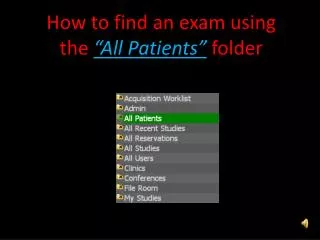
Learn how to find an exam in the "All Patients" folder using Synapse. Enter patient details, view studies and reports with ease. Contact the PACS team for assistance. |

E N D
Enter patient name and/or social then press enter Once logged into Synapse Double click “All Patients” Double click to view all studies performed on the patient
Images & report are displayed (if available) Press to minimize Study Report
Questions or Issues? Call: Questions or Issues? Call: Questions or Issues? Call: Questions or Issues? Call: Questions or Issues? Call: • PACS Team (757) 953 – 1162 • PACS Duty Pager (757) 314 - 0519 • PACS Team (757) 953 – 1162 • PACS Duty Pager (757) 314 - 0519 • PACS Team (757) 953 – 1162 • PACS Duty Pager (757) 314 - 0519 • PACS Team (757) 953 – 1162 • PACS Duty Pager (757) 314 - 0519 DINPACS customer service survey: http://nmcpnhiis02/NMCPSurveys/se.ashx?s=251137452003DB8B